Best Local Model for Agentic Coding: 9 Picks by VRAM
A practical decision tree for agentic coding: pick local models by repo size and VRAM tier (16GB/24GB/48GB+/CPU), with context, tool-calling reliability, and quantization rules that actually hold up.


Agentic coding is where local models either earn their keep or embarrass you in front of your own CI.
Autocomplete is easy. A real coding agent has to plan, call tools, edit multiple files, emit structured outputs, and keep its story straight across a long loop. That’s the part most “best coding LLM” lists conveniently ignore.
If you’re searching for the best local model for agentic coding, you’re probably in one of two situations:
1) You’re sick of paying for yet another subscription. 2) You tried “a good local coding model” and discovered it can’t follow a JSON schema to save its life.
This post is my attempt to make the choice boring again. A repo-size + hardware-tier decision tree. Concrete picks. And the constraints that don’t show up on leaderboards.
Key takeaways
- The best local model for agentic coding is rarely the one with the highest coding benchmark score. Tool-call reliability and patch discipline matter more.
- On 16GB VRAM, you should treat agentic coding as “small model + retrieval” work. Trying to brute-force long context will crater speed and reliability.
- On 24GB VRAM, 20–34B class models become viable for real multi-file refactors, especially when paired with code indexing.
- On 48GB+ VRAM, the win is not just “bigger model.” It’s bigger model _and_ long context without KV-cache panic.
- CPU-only agentic coding is possible, but you must constrain the workflow. Expect single-user, slower loops, and heavier reliance on RAG.
If your agent can’t call tools deterministically, it’s not an agent. It’s a chatbot wearing a toolbelt.
The decision tree: repo size × VRAM tier → model picks
Let’s cut straight to the useful part. If I walked into your team and you said, “We want local agentic coding, we have X hardware, and our repo is Y,” this is the decision tree I’d use.

Step 1: classify your repo by “agent pain,” not LOC
Lines of code is a lousy proxy for how much an agent will suffer. What matters is how much code it needs in working memory at the same time, plus how messy your repo’s “social reality” is. The config nobody understands. The codegen. The half-migrated build pipeline.
I bucket repos like this:
- Small repo: 10k–200k LOC, a handful of packages, shallow dependency graph, few generated files.
- Medium repo: 200k–2M LOC, multiple services/modules, real build/test pipeline, non-trivial config sprawl.
- Large repo: 2M+ LOC or monorepo with lots of internal libs, multiple languages, heavy codegen, “tribal knowledge” config.
Step 2: pick your hardware tier
For local inference, VRAM is only half the story. Agent loops with longer contexts get murdered by KV-cache overhead and plain old throughput collapse.
I’m using the tiers most teams actually have access to:
- 16GB VRAM (RTX 4060 Ti 16GB-class, laptop GPUs, many dev rigs)
- 24GB VRAM (RTX 4090 / RX 7900 XTX-class)
- 48GB+ VRAM (workstation/pro cards, multi-GPU, or big unified memory Macs)
- CPU-only (homelab servers, air-gapped environments, or “we have budget, not GPUs”)
Step 3: decide if you’re trying to “stuff the repo” or “retrieve the repo”
If your plan is “just use 128k context and paste everything,” you’re going to have a bad time.
Even when a model technically supports a big context window, effective context and cost to use it are separate problems. Long context is expensive. It’s slower. It increases noise. It eats your KV-cache budget. And it makes tool harness overhead hurt more.
I’m opinionated here: agentic coding on real repos is a retrieval problem first. Long context is for _local neighborhoods_ of code and the agent’s short-term scratchpad. Not for loading the entire codebase like it’s a PDF.
Quick picks table (what most people came for)
| Hardware tier | Small repo (10k–200k LOC) | Medium repo (200k–2M LOC) | Large repo (2M+ LOC / monorepo) |
|---|---|---|---|
| 16GB VRAM | Qwen2.5-Coder 7B/14B (quantized) + RAG | Qwen2.5-Coder 14B + strong RAG + strict tools | Don’t brute force. Use RAG + smaller model; consider remote for planning |
| 24GB VRAM | Qwen2.5-Coder 14B/32B (quantized) | Qwen2.5-Coder 32B or Codestral 22B + RAG | 32B class + RAG + tight patch loop. Consider 70B only with compromises |
| 48GB+ VRAM | 32B–70B class with long-ish context | 70B class (quantized) + RAG + longer context | 70B class + RAG, or multi-model router (planner + executor) |
| CPU-only | 7B–14B models; accept slower loops | 14B–26B MoE models (if you can tolerate speed) + RAG | Treat as “offline assistant,” not an interactive agent |
Those are the default picks. The rest of this post is the “why,” plus the stuff that actually breaks in agent workflows: tool calling, patching, KV-cache, and harness overhead.
Once you start running real agent loops locally, you’ll quickly want traces for tool calls, retries, and token/cost hotspots—not just “it feels slow.” I wrote How to Build Vendor-Neutral LLM Observability Monitoring [2026] as a blueprint for doing that with an OpenTelemetry pipeline, a consistent trace schema, and sampling/redaction that won’t lock you into one vendor.
If you’re doing this in a homelab or on a shared LAN, it’s worth being as strict about network egress as you are about tool-call traces. I wrote How to Set Up a Local AI Hub for Home Automation Privacy [2026] as a practical way to map cloud dependencies and verify (via DNS/SNI/firewall logs) what your “local” setup is actually talking to.
If you’re thinking about egress controls, treat it as one layer in a bigger “prompt→tools→model→logs” pipeline: the easiest leaks usually happen in telemetry, retries, and retained traces. I wrote up a practical, audit-friendly checklist in LLM Data Leakage Playbook [2026]: Logging, Retention, Redaction.
(Inline illustration break: a decision tree diagram: repo size → context needs → hardware tier → model.)
What counts as “agentic coding” (and why most benchmarks don’t cover it)
“Agentic coding” is not “write a function.” It’s a control loop that alternates between reasoning and side effects.

In practice, an agentic coding loop includes:
- Planning: decomposing a task into steps.
- Repository navigation: search, grep, symbol lookup, reading files.
- Tool use: calling
ripgrep, running tests, formatting, applying patches, opening PRs. - Structured outputs: JSON for tool schemas, patch formats, or function-calling.
- Multi-file edits: refactors that touch 5–30 files and still pass tests.
This is where “great coding models” fall apart. They can generate plausible code, but they:
- hallucinate tool names,
- produce malformed JSON,
- output patches that don’t apply,
- lose track of decisions across 10+ turns,
- or rewrite half the file because they can’t do minimal diffs.
So no, I don’t buy “best local coding model” as a single number. For agents, the best local model for tool calling can be more valuable than the model with the best single-turn code generation score.
If you want a clean mental model of what an agent is (and why loops matter), start with my AI agents pillar. If you want the “stop prompting, start building loops” version, loop engineering is the practical follow-up.
16GB VRAM: the best local model for agentic coding is “small + retrieval”
If you have 16GB VRAM, you don’t have a model problem. You have a budgeting problem.
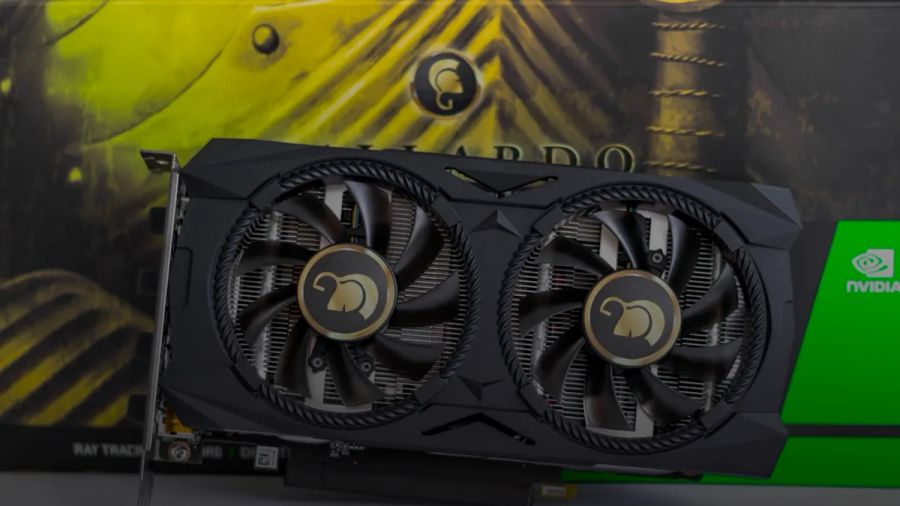
You’re budgeting:
- weights,
- KV-cache,
- and the reality that agent loops need speed to stay sane.
What is the best local model for agentic coding on 16GB VRAM?
For 16GB VRAM, my default recommendation is Qwen2.5-Coder 14B (or 7B if you need speed) in a quant that keeps you responsive, plus a real code index.
Why I land there:
- 14B models are the smallest tier that can do consistent multi-step coding _without_ feeling like a toy.
- They’re fast enough that your agent loop doesn’t feel like waiting for paint to dry.
- They’re cheap enough in memory that you can spend VRAM budget on context and KV-cache instead of praying your prompt stays under a magic limit.
A concrete throughput anchor: based on the benchmark data I maintain at kunalganglani.com/llm-benchmarks, an M4 (16GB) running Llama 3.1 8B Q4_K_M hits 23 tokens/sec in ollama. That’s the speed class you want for an interactive agent loop. Once you drop to 3–8 tok/s, the agent doesn’t just feel slow. It starts acting worse because the loop gets so sluggish you stop iterating properly.
What you can realistically do on 16GB
- Small repo feature work where the agent can retrieve the right files and operate in a tight neighborhood.
- Bug fixes, refactors inside a module, tests, docs, config changes.
What you should not do on 16GB
- “Read the whole repo and plan a migration.” That’s a 70B + long context + retrieval problem.
- Long-horizon tasks with lots of intermediate state unless you have strong agent orchestration and memory discipline.
Quantization guidance (practical, not ideological)
People talk about quantization like it’s a moral choice. It’s not. It’s a trade.
If the model doesn’t fit comfortably, you’ll pay in _latency_, _context_, and _retries_. And retries are the silent killer in agent setups. Every retry is more tokens, more time, more chances for the agent to drift.
- For 7B–14B on 16GB, start with a solid 4-bit quant (
Q4_K_Min GGUF land). - If tool calling starts getting flaky (malformed JSON, ignored schemas), try a higher quality quant before you blame your prompt or your framework.
I’ve learned this the hard way maintaining the site’s benchmark database: quantization quality cliffs are model-family-specific. A blanket “always use Q4” recommendation is wrong.
If you want the deeper breakdown, see LLM quantization levels compared and GGUF vs GPTQ vs EXL2.
24GB VRAM: where agentic coding actually starts feeling “paid-tier”
24GB is the first tier where local agentic coding stops feeling like a science fair project.
What is the best local model for agentic coding on 24GB VRAM?
On 24GB VRAM, you can run models that have enough headroom for:
- better planning,
- more stable tool calling,
- and multi-file refactors that don’t devolve into chaos.
My default pick here is Qwen2.5-Coder 32B (quantized appropriately). The runner-up for many teams is Codestral 22B.
This tier matters because 24GB is the first “normal enthusiast GPU” tier where you can seriously consider 22B–34B class models _and_ still leave room for context.
Repo-size implications on 24GB
- Small repos: 32B is overkill but delightful. You’ll see fewer retries and less “agent thrash.”
- Medium repos: 32B + retrieval is the sweet spot. The model is smart enough to reason across multiple modules, and retrieval keeps it grounded.
- Large repos: still retrieval-first. The win is consistency, not omniscience.
The hidden constraint: KV-cache
Longer contexts inflate KV-cache. This is the part most “model fits in VRAM” calculators hand-wave away.
Rule of thumb:
- Weights are mostly fixed cost.
- KV-cache is variable cost that scales with context length, batch size, and model dimensions.
So yes, you can quantize weights down to fit. But if you then crank context to 64k and run a tool-heavy loop, you can still OOM or tank throughput. That’s not a theoretical edge case. It’s the normal failure mode when someone tries to “upgrade” the agent by dialing context up and leaving everything else unchanged.
If you care about throughput math and how to measure this correctly, my Local LLM benchmark methodology is how I keep myself honest.
(Inline illustration break: a VRAM budget diagram showing weights vs KV-cache vs activation overhead.)
48GB+ VRAM: the “big model” tier is about stability, not flexing
If you’re buying 48GB+ VRAM for agentic coding, the goal shouldn’t be bragging rights. It should be fewer dumb failures.
What is the best local model for agentic coding on 48GB+ VRAM?
On 48GB+ VRAM, you finally get room to run 70B-class models (often quantized) while still keeping a usable context window.
For agentic coding, the point of moving up to 48GB+ is:
- fewer brittle failures (tool calls, patch formatting, instruction hierarchy)
- better long-horizon planning
- fewer “I rewrote half your file because I panicked” moments
In this tier, I’d rather run:
- one strong 70B-class model for planning + execution, _or_
- a two-model router: smaller fast executor + bigger planner.
The second option tends to win on developer experience. It also maps well to “model-per-job-shape,” which I’ve found beats one-model-everywhere systems when you care about cost and quality.
If you’re curious how I think about routing and per-task economics, AI agent cost per task and agent per-task cost calculation are the practical frameworks.
CPU-only: yes, it works. No, you won’t like it for interactive agents.
CPU-only agentic coding is for constraints. Compliance. Air gaps. Homelabs. “We have servers, not GPUs.”
Just don’t pretend it’s going to feel like Claude in your editor.
What models work CPU-only for agentic coding (and what’s realistically possible)?
CPU-only agentic coding is viable if you accept a narrower definition of “agent.” Think:
- background refactors
- offline analysis
- one-user internal tool
- air-gapped environments
A hard number anchor from this site: in my post on Gemma 4 26B CPU inference, the headline benchmark is ~5.2 tokens/sec decode on a 13-year-old Xeon. That’s good enough for “do work in the background and show me a patch.” It’s not the snappy loop you want inside an IDE.
Realistic CPU-only expectations:
- Single user: okay.
- 2–3 concurrent users: usually painful.
- Interactive IDE agent: only if you’re extremely patient or using small models.
If you still want to do it, constrain the workflow:
- Keep contexts short.
- Retrieve aggressively.
- Prefer smaller models with strong instruction following.
- Use a strict patch apply loop (more on that below).
Context length: how much do you actually need for small vs medium vs large repos?
Here’s my unpopular stance: context length is overrated as a primary selection criterion.
Not because it’s useless. Because teams use it as an excuse to avoid building retrieval.
Practical context budgets
- Small repo: 8k–32k effective context is usually enough if you retrieve the right files.
- Medium repo: 16k–64k effective context helps, but only if your agent is disciplined about what it keeps.
- Large repo: even 128k won’t save you. The repo is bigger than the window. Retrieval and structure win.
If you want a deeper explanation of why “bigger context is not better,” I wrote RAG context window limits. The short version: long context increases noise faster than it increases signal unless you have strong context engineering.
And yes, context engineering is a thing. I’ve been using it as the backbone for this blog’s agent pipeline, and it’s why I’m more excited about context engineering for AI agents than another prompt template.
Tool/function calling reliability: what to test before you commit
Tool calling is where agentic coding either becomes boring and reliable, or becomes a slot machine.
Which local models are most reliable for tool/function calling and structured outputs?
For agentic coding, “tool calling” is mostly:
- valid JSON
- respecting a schema
- not inventing tool names
- choosing tools at the right time
Model families diverge massively here. And most people don’t notice because they only test one or two short interactions and declare victory.
What I recommend teams test (before picking a model):
- JSON schema adherence: Can it produce valid JSON 50 times in a row?
- Tool selection: Does it call the right tool, or does it waffle in text?
- Patch discipline: Does it produce minimal diffs, or rewrite whole files?
- Recovery behavior: When a tool errors, does it adapt or spiral?
- Long-loop drift: After 15 turns, is it still following the original constraints?
A concrete “agent harness” number that should scare you: in my OpenCode vs Claude Code token overhead write-up, Claude Code injected 33,000 tokens of scaffolding vs 7,000 for OpenCode. That’s a 4.7× baseline overhead before your prompt even arrives.
Local models live in the same world. Your harness (tools + schemas + policies) can easily be 5k–30k tokens. If your model’s tool calling is flaky, you will pay in retries and wasted loop steps.
If you want a protocol-level discussion, MCP vs OpenAI function calling is the comparison that matters for 2026 agent stacks.
Quantization + KV-cache: why “it fits” is not the same as “it works”
This is where a lot of local setups die.
Someone says “it loads,” declares success, and then wonders why the agent falls apart the moment you add a real tool harness and a real context budget.
How do quantization and KV-cache affect whether a model fits in VRAM for long contexts?
A model “fitting” in VRAM is a necessary condition. For agentic coding, it’s not sufficient.
Agent loops suffer when:
- the model is memory-bound,
- KV-cache explodes at long context,
- or quantization pushes the model into tool-call unreliability.
What you should do in practice:
- Treat VRAM as a budget split between weights and KV-cache.
- Keep a safety buffer. Don’t run at 99% utilization and then act surprised when a longer-than-usual prompt OOMs.
- Prefer a quant that preserves instruction following, not just raw “fits on paper.”
This is also why I’m skeptical of “just run a 70B at Q2.” If your agent can’t follow constraints, you’ll burn the savings on retries.
If you want the runtime choice angle, see Ollama vs LM Studio 2026 and vLLM vs Ollama. Runtime matters for throughput and batching, but it won’t save a model that can’t produce a valid tool call.
Long context vs RAG: when to index the repo instead of stuffing it
If you remember one thing from this post, make it this: don’t use long context as a substitute for a code index.
When should I use RAG/code indexing instead of relying on long context?
Use Retrieval-Augmented Generation (RAG) when:
- the repo is bigger than what you can keep in context,
- you need precise grounding (config flags, schema details, exact function signatures),
- or you’re doing multi-file refactors and can’t afford the model guessing.
In agentic coding, RAG is not a nice-to-have. It’s the difference between:
- an agent that consistently reads the right code, and
- an agent that confidently invents a function that doesn’t exist.
A simple rule:
- Long context is for the working set.
- RAG is for the codebase.
If you want the bigger “RAG vs fine-tuning vs prompt engineering” decision lens, I wrote it up here: Fine-Tuning vs RAG vs Prompt Engineering.
And if you’re going to deploy RAG, pick your stack deliberately. Weaviate vs Chroma and pgvector vs Pinecone are two comparisons I point teams to when they’re about to cargo-cult a vector DB.
What benchmarks matter for agentic coding (and what they miss)
Benchmarks are useful. They’re also routinely abused.
What evaluation benchmarks matter for agentic coding (SWE-bench Verified, etc.) and what are their limitations?
Most benchmarks measure the wrong thing for agentic coding: single-turn code generation. Agents live and die on multi-turn control flow, tool behavior, and “can I apply this patch without a human babysitting it.”
The ones that matter more:
- SWE-bench Verified: closer to “fix a real issue in a real repo” than toy problems.
- Repo-level tasks: anything that forces multi-file edits and test execution.
- Tool-use evals: schema adherence and tool selection under constraints.
The limitations (the parts teams forget):
- Benchmarks don’t capture your tool harness, your repo conventions, or your CI failure modes.
- Many benchmarks are vulnerable to overfitting and contamination.
- “Passes tests” in a benchmark repo doesn’t mean “writes a clean PR” in your repo.
I’m a big believer in production-style evals. If you want the framework I use, see Evaluate AI agents in production and Evaluate AI agents in production: testing guide.
Deploy recipes (Ollama, LM Studio, vLLM) for agentic coding stacks
Most local model selection guides stop at “download this model.” That’s like shipping a database by downloading Postgres.
For agentic coding, what matters is the full path:
- model runtime
- tool protocol
- patch application strategy
- repo indexing
- observability
My pragmatic defaults:
- Local dev / single-user:
ollamaor LM Studio. Pick based on your tolerance for CLI vs GUI. (My take: Ollama vs LM Studio and the newer Ollama vs LM Studio 2026.) - Team / shared server:
vLLMwhen you need throughput, batching, and a more production-y serving layer. (vLLM vs Ollama.) - Mac local agentic stacks: MLX is increasingly compelling for Apple Silicon. (Local agentic AI on Mac with MLX.)
The deployment pattern I like:
- Build a code index once (or update incrementally).
- Run a tight tool loop: search → read → plan → patch → test → iterate.
- Instrument it. If you can’t see retries, tool errors, and latency, you’re blind. (OpenTelemetry instrumentation for AI agents.)
Here’s the official “local coding model usability” video that’s relevant to this topic. It’s qualitative, not a benchmark, but it’s useful for expectations-setting:
(Inline illustration break: a simple architecture diagram: editor ↔ agent loop ↔ tools ↔ repo index ↔ local runtime.)
My picks, explicitly (so you can argue with me)
I’ll restate the recommendations in plain language, because people hate ambiguity and I don’t blame them.
- Best local model for agentic coding on 16GB VRAM: Qwen2.5-Coder 14B (or 7B for speed) + RAG. Don’t chase long context.
- Best local model for agentic coding on 24GB VRAM: Qwen2.5-Coder 32B (quantized) + RAG. This is the “paid-tier feel” threshold.
- Best local model for agentic coding on 48GB+ VRAM: a 70B-class model (quantized) + RAG, or a router (planner big, executor smaller).
- CPU-only: treat it as a constrained, offline agent. Smaller models + heavy retrieval. If you want a real number, Gemma 4 26B on CPU can hit ~5.2 tok/s in the benchmark I covered.
If you want the runtime selection logic first, read The complete guide to running local LLMs in 2026 and Local LLM hardware in 2026.
Model selection for agentic coding is not “what’s the smartest model I can fit.” It’s “what’s the most reliable loop I can run on the hardware I actually have.”
My prediction for 2026 is simple: teams will stop standardizing on a single model. They’ll standardize on an agent loop, and swap models underneath it like dependencies.
If you want local agentic coding to stick, make your decision tree explicit. Write it down. Put it in your dev environment docs. Then run a one-week bake-off on your actual repo.
Because the fastest way to waste a year is to argue about model vibes instead of measuring tool-call failures and patch apply rates.
Photo by Xavier Foucrier on Unsplash.
Continue reading

How to Run Qwen 3.8 Flash Next 125B in Strata on an RTX 4090
A reproducible Strata setup for Qwen 3.8 Flash Next (125B) on RTX 4090, plus the KV cache knobs that decide whether you hit ~100 tok/s or hit OOM.

Aleph Alpha Kolibri Benchmark: 1M Context Reality Check
Aleph Alpha’s Kolibri ships downloadable weights under Apache-2.0 and claims a 1M-token context. Here’s what that changes for EU/on-prem teams and how to benchmark it reproducibly on an A10/A100.
Intel Arc B‑Series Local LLM Benchmark: Harness and Quants
A reproducible Intel Arc B‑series local LLM benchmark harness (TTFT, tok/s, VRAM, power), plus a Linux/Windows compatibility matrix and Arc-friendly GGUF quants that won’t OOM at 8K context.

Claude Code Projects: Always‑On Conversation, New Team Risks
Claude Code Projects turns agentic coding into a long-running, persistent workspace. That’s productivity. It’s also a new operational risk surface teams need to govern on day 0.

Kunal Ganglani (2026, August 2). Best Local Model for Agentic Coding: 9 Picks by VRAM. Kunal Ganglani. Retrieved October 31, 2026, from https://www.kunalganglani.com/blog/best-local-model-agentic-coding
Frequently Asked Questions
What is the best local model for agentic coding on 16GB VRAM?
On 16GB VRAM, the best results usually come from a smaller coding model paired with code indexing and retrieval. Qwen2.5-Coder 14B is a solid default if you can keep it fast with an efficient quantization. Trying to brute-force very long context windows on 16GB typically hurts both speed and reliability.
What is the best local model for agentic coding on 24GB VRAM?
On 24GB VRAM, you can step into the 20–34B class of coding models while still leaving room for context and KV-cache. Qwen2.5-Coder 32B is a strong default pick for agent-style workflows, especially when paired with repo search and retrieval. This tier is where local agentic coding starts feeling close to paid tools for many teams.
What is the best local model for agentic coding on 48GB+ VRAM?
With 48GB+ VRAM, you can run larger models with fewer compromises, which tends to improve planning and reduce brittle failures in tool use. Many teams can make a 70B-class model work in a reasonable quantization while still keeping a useful context window. The biggest win is stability across long loops, not just higher benchmark scores.
What models work CPU-only for agentic coding (and what’s realistically possible)?
CPU-only setups can work for constrained agentic coding, but they are usually best for single-user, slower workflows. Smaller models with strong retrieval can still produce useful patches and analysis, especially for background tasks. For interactive “chatty” agents inside an IDE, most CPU-only setups will feel too slow unless you accept narrow task scopes.
When should I use RAG instead of relying on long context for agentic coding?
Use Retrieval-Augmented Generation (RAG) when your repo is too large to fit in context, or when you need precise grounding in the exact code that exists. Long context is useful for the agent’s immediate working set, but it doesn’t replace repo search and indexing. In practice, most teams get more reliability from retrieval than from chasing bigger context windows.
Which benchmarks matter for agentic coding, and what are their limitations?
Benchmarks like SWE-bench Verified are more relevant to agentic coding because they resemble real repo changes, not single-turn code generation. Even then, benchmarks won’t match your tool harness, your repo conventions, or your CI pipeline. The most reliable approach is to run a small bake-off on your own codebase and measure retries, tool-call failures, and patch-apply success.