How to Run Qwen 3.8 Flash Next 125B in Strata on RTX 4090 [2026]
A reproducible Strata setup for Qwen 3.8 Flash Next (125B) on RTX 4090, plus the KV cache knobs that decide whether you hit ~100 tok/s or hit OOM.


If you want to run Qwen 3.8 Flash Next 125B locally with Strata on an RTX 4090, you can get it working in under an hour. The part that makes people think their PC “bricked” is not CUDA. It’s memory. Strata can pull ~35–55 GB into RAM on first load, and if your OS swap/pagefile is anemic you’ll watch your machine go unresponsive and assume it crashed.
This post is a practical, reproducible walkthrough for the exact keyword people are searching right now: qwen 3.8 flash next 125b strata. I’m going to cover install, which quant pack makes sense on a 24 GB card, how to measure TTFT vs steady-state tokens/sec, and which KV cache settings are actually worth touching.
And yes, I’m going to address the number that started the argument. “~100 tokens/sec on a 4090” is plausible. It’s also the kind of number that disappears the second you pick the wrong quant, run long context, or let your desktop chew up VRAM.
What is Qwen 3.8 Flash Next 125B Strata
Qwen 3.8 Flash Next (125B) in Strata is a one-click local inference stack that runs the 125-billion-parameter Qwen model on consumer GPUs by combining heavy quantization, GPU/CPU offload, and aggressive KV cache management.
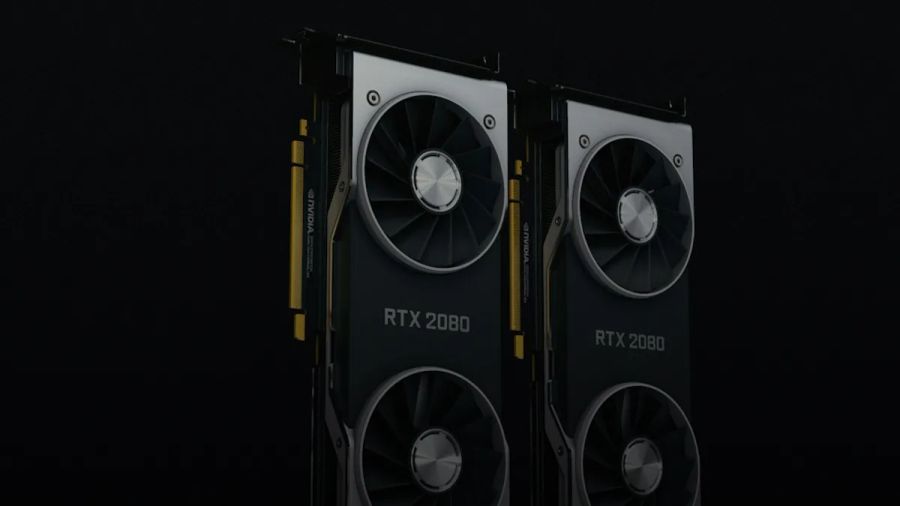
Strata is an installer + runtime wrapper. It sets up a tuned engine, pulls the model (plus an MTP speculative decoding “draft” layer), then exposes a local web UI and API. The pitch is blunt: run a model that normally wants datacenter hardware on a gaming PC.
Why are people paying attention? Because the published numbers aren’t fantasy.
In the Strata README, Niko1221 reports 94 tok/s decode for the Q2_0 pack on an RTX 5070 12 GB test rig. And in Strata’s model guide, Niko1221 says an RTX 3090 (24 GB) should write ~100–140 tok/s because more experts fit on GPU.
So the HN claim isn’t obviously nonsense. The real question is what you have to do to see it on a 4090 without turning your workstation into a swap-thrashing brick.
What you need (4090 reality check)
Here’s what actually matters for a 4090 run. Not the “minimum requirements” list. The stuff that decides whether you get stable runs instead of an OOM carousel.
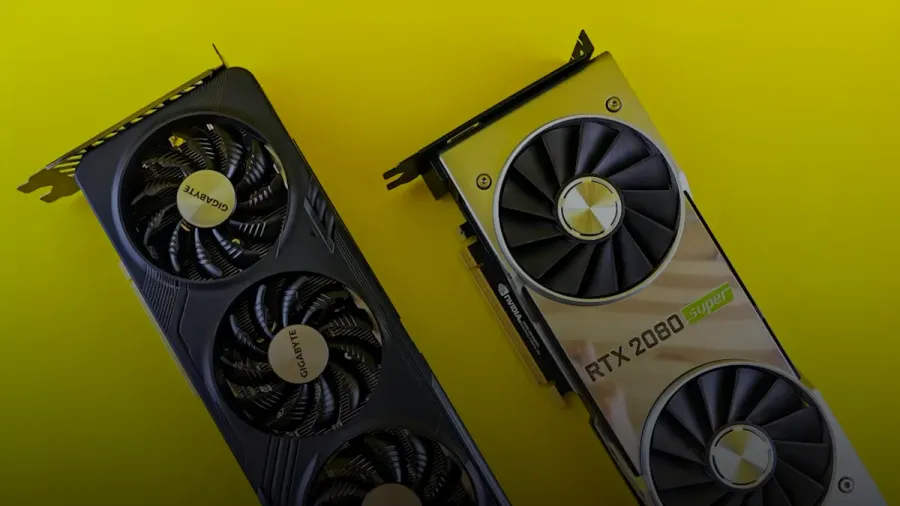
- GPU: RTX 4090 (24 GB). Strata supports RTX 20/30/40/50 series with 12 GB+ VRAM per the install docs.
- RAM: You can boot on 32 GB, but you’re playing with fire. Strata warns that first start can load ~35–55 GB into RAM and lock part of it for the GPU. That can freeze your system for minutes.
- Disk: budget ~70–80 GB for model + runtime bits. NVMe makes first start way less annoying.
- Driver: Strata’s install guide calls out NVIDIA driver 580+.
Two practical notes that keep showing up while maintaining benchmark pages and local inference guides on this site:
- VRAM on paper isn’t VRAM you can spend. Your monitors, browser GPU process, screen recording, Discord overlays. They’ll happily burn 1–3 GB and you won’t notice until you’re right on the cliff. Strata itself calls out “display VRAM usage” as a common reason people miss the table numbers.
- System RAM headroom is the real gate for 125B on consumer rigs. You can “have 64 GB installed” and still lose if Chrome is eating half of it and you’ve got a VM running.
If you’re still deciding whether to do this locally or via API, I’m biased toward “benchmark first, then do the math.” I keep a live cost tracker at LLM cost because per-token pricing without workload shape is mostly vibes.
Install Strata (Windows + Linux) and keep it reproducible
Strata is intentionally not complicated. That’s the point.
- Download or clone Strata from the repo.
- Run
START-HERE.baton Windows or./setup.shon Linux. - Let it install Python, create
.venv/, pull the engine, download the model + MTP layer.
The canonical step-by-step is in Niko1221’s INSTALL.md. Two details in there that most “I ran it on my rig” posts mysteriously forget:
- Disk footprint can include a one-time ~40 GB copy for fast CPU kernels (Q2_0 on AVX-512 CPUs).
- On Linux + AMD, ROCm can add ~10 GB during install. Not relevant for a 4090, but it explains why people report wildly different disk numbers.
RTX 4090 quickstart checklist (5 items)
This is the minimal flow I’d use to get a result that means something.
- Install Strata and confirm the engine launches once.
- Pick a quant pack based on your RAM (32 GB vs 64 GB). Run one baseline chat at 4K context.
- Record TTFT (time to first token) and decode tok/s over 256 generated tokens.
- Repeat at 32K and 128K context so you can see when KV cache starts biting.
- Only then touch KV cache knobs (8-bit KV threshold, KV streaming). Rerun the same prompts.
If you want the “why this methodology” version, I’ve written it up in Local LLM benchmark methodology and LLM latency benchmark methodology. TTFT and tok/s measure different pain.
Here’s the official demo video that kicked off a lot of the “wait, SSD streaming is actually fine?” discourse:
Which model should I pick on a 4090? (Q2_0 vs IQ2_XS vs IQ3_XXS)
Quant choice is where most people accidentally benchmark the wrong thing.
Strata ships multiple “sizes” of the same model. They’re not just smaller. They’re different quantization packs with different tradeoffs.
Based on Niko1221’s guidance:
- 32 GB RAM: Strata recommends Coder because it fits. But it’s explicitly weaker outside code because it keeps 256 of 512 experts.
- 48 GB RAM: IQ2_XS (or Q2_0).
- 64 GB RAM: IQ2_XS recommended, or IQ3 variants if you want more quality and can handle tighter headroom.
On a 4090, my stance is:
- If you have 64 GB RAM, start with IQ2_XS. It’s the default “I want this to work without turning my PC into a science project” pick.
- If you have 32 GB RAM, you can still run this, but treat it like a stress test. Use Coder first. Then try Q2_0/IQ2_XS only if you’re willing to tune low-RAM mode and accept that Windows pagefile or Linux swap is now part of your performance profile.
A decision table you can actually use
These are the numbers Strata publishes for decode/prompt throughput on an RTX 5070 12 GB system. You’re not buying a 5070. But the relative ordering matters, and it gives you a sanity baseline.
| Quant pack | “Writes answers” decode (tok/s) | “Reads your prompt” @32K (tok/s) | When I’d use it on a 4090 |
|---|---|---|---|
| Q2_0 | 94 | 2,650 | Max speed. Best shot at the ~100 tok/s claim at short context. |
| IQ2_XS | 79 | 2,090 | Default pick for 64 GB RAM. Good speed, fewer sharp edges. |
| IQ3_XXS | 62 | 1,750 | When you care about quality more than speed, still decent throughput. |
| IQ3_S | 53 | 1,620 | Quality-leaning, but headroom is tight. |
| Coder | 55 | 2,180 | Only if you’re RAM-constrained (32 GB) or mostly coding. |
Source: Strata README + DETAILS tables by Niko1221.
One more number that matters: Strata’s DETAILS methodology uses 256 generated tokens per run, and output speed falls as context grows. For Q2_0, output is 93 tok/s at 4K and ~76 tok/s at 128K on their RTX 5070 rig.
That context slope is the story. “100 tok/s” is basically a short-context claim unless you’re willing to spill KV to RAM/disk aggressively.
If you’re new to why quants behave like this, my deep dive is LLM quantization. The boring answer is the right one. Quantization isn’t a single dial.
Using it: measuring TTFT, decode tok/s, and VRAM headroom
If you’re trying to reproduce a headline number, “it feels fast” doesn’t count.
You want three metrics:
- TTFT (time to first token): what the user feels.
- Decode tokens/s: steady-state output speed once the model is rolling.
- VRAM headroom: how close you are to the cliff.
Strata separates “reads your prompt” from “writes answers.” That maps cleanly to the two phases that actually matter:
- Prefill: ingesting the prompt and building KV cache.
- Decode: generating output tokens.
In Strata’s benchmark notes, Niko1221 says the measured settings were:
--prefill auto- 8-bit KV above 4K
- KV streaming from 64K
- MTP speculative decoding on
Those aren’t cute defaults. They’re there because if you let everyone run 125B at long context with naive KV cache settings, the support burden becomes an OOM graveyard.
How I’d run a transparent benchmark report
If you’re going to post results to HN or Reddit, don’t post a single tok/s number. Post a matrix.
My minimum is:
- Context lengths: 1K, 4K, 32K, 64K, 128K.
- Prompt corpus: at least 5 prompts: 2 short Q&A, 2 code tasks, 1 long-doc summarization.
- Concurrency: 1 stream baseline, then 2 and 4 streams if you’re serving.
- Latency: p50 and p95 TTFT if you can.
This is the difference between “benchmarks as content” and “benchmarks as engineering.” It’s also why I keep a benchmark database at local LLM. The methodology matters more than the number.
As a sanity check, Strata’s published prompt processing throughput for Q2_0 at 32K context is 2,171 tok/s on their RTX 5070 box. That tells you prefill can be absurdly fast when the fused kernels hit.
How KV cache tuning actually works (and how it OOMs you)
KV cache is the silent budget killer.
KV cache is the per-token memory that stores attention keys and values so the model can keep “remembering” the context without recomputing everything every step. Every extra token increases KV cache. With a 125B-class model, it grows fast enough to push a 24 GB card over the edge.
Strata’s defaults are unusually pragmatic:
- 8-bit KV above 4K cuts KV cache pressure after the early part of the conversation.
- KV streaming from 64K spills KV out of VRAM once you go long context so you don’t hard-OOM.
You pay for that in latency. You’re trading GPU residency for “don’t crash.” That’s a trade I’ll take every time.
Mental model:
- At 4K context, you’re mostly speed-bound by decode kernels.
- At 64K+, you become memory-bound. Sometimes you become IO-bound too, depending on streaming.
This is why HN threads about this stuff read like two different realities. Someone sees “100 tok/s” and assumes it holds at 128K with zero caveats.
It doesn’t.
Speculative decoding is the other lever. Strata uses MTP speculative decoding in its tables. The win is workload-dependent, but in the HN discussion Winfred-zz reports that even with tweaking on a 3090-class system they still see ~40–60 tok/s in real use. That’s not a contradiction. That’s what happens when your environment isn’t the author’s clean bench box.
If you’re thinking about serving this to more than yourself, read AI in production before you turn your desktop into an “internal model endpoint.” Local inference has security and reliability edges people love to ignore.
Something went wrong? The failure modes I’d expect on a 4090
This is the part everybody skips. Then they post “it crashed” with no logs.
Strata’s troubleshooting doc is refreshingly blunt. Here are the 4090-relevant ones:
- First-run freeze is normal. Strata explicitly says first start can load 35–55 GB into RAM, lock part of it for the GPU, and freeze your mouse for minutes. Wait it out.
- Disk LED blinking + slow output means you’re out of RAM. That’s swap thrash. Close apps or pick a smaller quant.
- Slower than tables is often VRAM stolen by display. If your monitor is plugged into the 4090, you’re paying a tax. If you can run display off an iGPU, do it.
- Linux OOM killer will just murder your process. Strata calls out “the engine stopped unexpectedly” often being RAM-related.
- Driver/toolchain mismatches matter. The install guide is picky for a reason. The engine is CUDA-heavy. Keep the driver current.
Source: Strata troubleshooting by Niko1221.
If you want a safer default posture, pair this with my hardening write-up on LLM security before you expose anything to your LAN.
How does it work? Prefill, decode, fused kernels, and why engine versions matter
The hype version is “125B on a 4090.” The real version is “a stack that makes the bottlenecks explicit and then cheats them.”
From Strata’s DETAILS.md, Niko1221 documents measurable engine improvements between 0.1.26 and 0.1.36:
- Fused prompt kernels increased prompt throughput by ~16–22% in their measurements (example: 32K prompt 2,170 → 2,653 tok/s on Q2_0).
- Decode kernels improved too. They report
Q2_0output at 128K context 64.5 → 76.4 tok/s across engine versions.
This is the part that matters in 2026. If you’re reading an older post that benchmarks a 0.1.2x engine and you run 0.1.36, you’re not reproducing anything. You’re just producing new numbers.
I don’t trust “one number” benchmarks for exactly this reason. Version drift is constant. If you care about reproducibility, log:
- Strata engine version
- GPU driver version
- quant pack
- context length
- KV settings
If you’re doing any agent work on top of this, you probably also care about AI agents and agent orchestration. Tool loops call the model 20 times. Your latency profile changes dramatically.
One data anchor from my own work
Based on the benchmark methodology and comparisons I maintain at kunalganglani.com/llm-benchmarks, the biggest mistake people make with local inference is reporting only decode tok/s.
In real workflows (coding assistants, vibe coding, long-doc RAG), TTFT dominates perceived speed once prompts get long. If you don’t measure TTFT separately, you’ll spend a weekend optimizing the wrong thing.
My blunt take on the “~100 tok/s on 4090” claim
You can probably hit ~100 tok/s on a 4090 with the right quant (likely Q2_0-class), short context, and a clean VRAM environment.
But if you want a setup you’ll actually use daily, chasing the absolute peak number is the wrong goal. Your goal is boring stuff:
- stable runs
- predictable TTFT
- enough VRAM headroom that one extra browser tab doesn’t crater you
The people who win with local models aren’t the ones posting the spikiest tok/s screenshot. They’re the ones who can reproduce the same experience tomorrow, after a driver update, with a different prompt, and without treating swap as a personality trait.
If you do your own 4090 matrix, post it with context length and KV settings. If you just post “I got 108 tok/s,” you’re contributing noise.
In 2026, noise is the only thing we have too much of.
Photo by Lilian Do Khac on Unsplash.
Continue reading
Kolibri Open Weight Model Benchmark: 1M Context Reality Check [2026]
Aleph Alpha’s Kolibri ships downloadable weights under Apache-2.0 and claims a 1M-token context. Here’s what that changes for EU/on-prem teams and how to benchmark it reproducibly on an A10/A100.
ds4 dwarfstar [2026 Review]: Redis-Style Local LLM Loops
ds4 (DwarfStar 4) turns local LLM inference into a Redis-like workflow: one long-lived server, deterministic prompt-keyed KV caching, and fast edit-run-edit loops without a GUI circus.
Intel Arc B‑Series Local LLM Benchmark [2026]: Arc Done Right
A reproducible Intel Arc B‑series local LLM benchmark harness (TTFT, tok/s, VRAM, power), plus a Linux/Windows compatibility matrix and Arc-friendly GGUF quants that won’t OOM at 8K context.
How to Run Qwen 35B on 16GB VRAM [2026]: Flags + Quants
A reproducible 16GB recipe for “Qwen 35B”: which Qwen2.5-32B quants fit, how to budget KV cache, and the exact serving flags that stop OOMs.

Kunal Ganglani (2026, October 5). How to Run Qwen 3.8 Flash Next 125B in Strata on RTX 4090 [2026]. Kunal Ganglani. Retrieved October 5, 2026, from https://www.kunalganglani.com/blog/qwen-3-8-flash-next-strata-4090
Frequently Asked Questions
Can you run a 125B model on an RTX 4090?
Yes. You can run Qwen 3.8 Flash Next (125B) on an RTX 4090 using Strata because it leans on aggressive quantization and offload to fit consumer hardware. The catch is that system RAM becomes the constraint during loading and long-context use. If you’re RAM-constrained or your OS is swapping, it’ll feel broken even if the GPU is fine.
What is KV cache and why does it cause out-of-memory errors?
KV cache is extra memory the model uses to keep attention state for the existing context so it doesn’t recompute attention every token. As context grows, KV cache grows with it, and that can push you over your VRAM limit. When you cross that line you either crash with OOM or fall back to slower strategies like KV streaming, trading speed for stability.
Why is my local LLM slower than benchmark tables?
Benchmark tables are usually run on clean systems with known settings, short context, and minimal background GPU usage. If your monitor is plugged into the same GPU, your desktop and other apps can consume gigabytes of VRAM and reduce performance. Longer context also changes the speed profile because KV cache and memory bandwidth start dominating over raw compute.