Intel Arc B‑Series Local LLM Benchmark [2026]: Arc Done Right
A reproducible Intel Arc B‑series local LLM benchmark harness (TTFT, tok/s, VRAM, power), plus a Linux/Windows compatibility matrix and Arc-friendly GGUF quants that won’t OOM at 8K context.


If you’re trying to run a local model on an Intel Arc B‑series card and you just want it to _work_, this post is the shortest path I know: a compatibility matrix you can trust, a repeatable benchmark recipe (TTFT + tokens/sec + VRAM), and quant choices that don’t explode the moment you bump context.
The one prerequisite that trips people up: Arc is not CUDA. If you buy an Arc B‑series GPU expecting the “install PyTorch, torch.cuda.is_available() = true” experience, you’re going to waste a weekend.
This post targets the exact query I keep seeing spike: intel arc b-series local llm benchmark. I’m optimizing for reproducibility, not vibes.
What is an Intel Arc B‑series local LLM benchmark?
An Intel Arc B‑series local LLM benchmark is a repeatable set of measurements (time-to-first-token, steady-state tokens/sec, memory use, and sometimes power) collected while running an LLM locally on Intel’s Arc B‑series GPUs using a specific runtime (often llama.cpp via Vulkan, or Intel’s XPU stack).
When I say “benchmark,” I mean something you can re-run with the same model file, the same prompt length, the same context, the same runtime flags, and get results that match within a tight range.
The Arc reality check: is Intel Arc good for running local LLMs?
Yes, Intel Arc can be good for local LLMs. But only if you accept the trade: you’re buying price/perf hardware and paying the difference in software friction.
Here’s the practical breakdown I use when people ask me if they should buy Arc for local inference:
- Pros
- Arc is often the cheapest way to get 12–16GB-class VRAM in a new card (depending on the specific B‑series SKU and your local pricing).
- Vulkan paths mean you’re not blocked on CUDA.
- On Windows, DirectML gives you a “it runs on DX12 hardware” escape hatch.
- Cons (the ones that matter in 2026)
- Tooling fragmentation. Arc can mean Vulkan, Level Zero, oneAPI, XPU, DirectML. It’s not one stack.
- Driver/runtime mismatch failures are common. When things break, they often fail in ways that look like “OOM” or “it’s using CPU” when the real issue is ICD selection.
If you want the “boring, always works” path, buy NVIDIA. If you want the “I can tolerate some yak shaving for cheaper VRAM,” Arc is in play.
For the bigger “what GPU should I buy?” decision, I’d anchor on my broader hardware guidance in The Complete Guide to AI Hardware in 2026 and the more local-focused The Complete Guide to Running Local LLMs in 2026.
Compatibility matrix (Linux + Windows): what actually works today
This is the part most posts skip. They hand-wave “install drivers” and then you’re in dependency hell.
Below is the matrix I’d use if I were setting up an Arc B‑series box today. It’s organized by runtime path, because that’s what determines your pain level.
| OS | Best “works today” path | Why you’d pick it | What breaks first |
|---|
| Linux | llama.cpp Vulkan backend | Cross-vendor. No CUDA/ROCm dependency. Good for GGUF. | Wrong Vulkan ICD selected, shader cache stutter impacts TTFT, VRAM allocator behavior differs by driver/Mesa. | Linux | Intel XPU stack (oneAPI/Level Zero + PyTorch/IPEX-style) | If your workload is PyTorch-native and you need Torch graphs, not GGUF. | Version skew between Level Zero runtime, driver, and the PyTorch extension. | Windows | App/runtime using DirectML | Broad compatibility on DX12 GPUs. Nice fallback when vendor stacks fight you. | Throughput can lag vendor-native paths. Some apps don’t expose good telemetry. | Windows | llama.cpp Vulkan (where supported) | Similar to Linux Vulkan story, fewer layers than DirectML. | Driver-specific Vulkan quirks and memory behavior.
Why Vulkan is the Arc default for GGUF
Georgi Gerganov’s Georgi Gerganov llama.cpp project is still the “least surprising” way to do reproducible, apples-to-apples inference across GPU vendors. The Vulkan backend exists specifically to make “I don’t have CUDA” not be a dealbreaker.
If your goal is local chat + agents, Vulkan + GGUF is the path that keeps you sane. If your goal is PyTorch training/fine-tuning, you’re in a different world.
What DirectML really is (and why you might need it)
Microsoft’s docs spell it out: Direct Machine Learning (DirectML) is a low-level ML API supported by all DirectX 12-compatible hardware and can also be used indirectly through ONNX Runtime.
This is why DirectML is such a useful “plan B” for Arc on Windows. When the Intel-specific stack is fighting you, DirectML is often the quickest way back to “it runs.”
Source: Microsoft
Reproducible benchmark harness: TTFT, tok/s, VRAM, power
I’m opinionated about this: if you’re going to post numbers, you need to post commands.
The benchmark harness below is designed so you can:
- Run a warmup pass (to stabilize shader compilation and caches)
- Run a measured pass
- Capture TTFT and tokens/sec from runtime logs
- Capture VRAM and power from OS telemetry tools
Before you run anything, read [Local LLM Benchmark Methodology [2026]: TTFT vs tok/s Done Right](/blog/local-llm-benchmark-methodology) and [LLM Latency Benchmark Methodology: Streaming UX Metrics [2026]](/blog/llm-latency-benchmark-methodology). TTFT is a UX metric. Tokens/sec is a throughput metric. Treat them differently.
Benchmark setup (models + prompts)
For Arc B‑series, I’d standardize on:
- Model classes: 8B, 14B, 32B
- Context lengths: 2K and 8K (8K is where KV cache starts bullying your VRAM)
- Prompt: fixed token count. Same across runs.
If you’re not already doing this, you’re not benchmarking. You’re posting vibes.
`llama.cpp` (Vulkan) build + run commands
Use llama.cpp as the baseline. Vulkan build options and flags evolve, so I always pin to a specific commit hash when I publish real numbers.
Start from the official repo: Georgi Gerganov
Example build steps (Linux):
- Build with Vulkan enabled
- Ensure your Vulkan ICD points at the Intel stack
Then run measured inference with:
- Fixed
-ccontext - Fixed
-noutput tokens - Fixed
--prompt - Repeat runs and record variance
I’m intentionally not pasting pseudo-flags here. llama.cpp changes quickly. If you want the most current flags, use the repo docs and match what your build prints in --help.
How to log VRAM + power (what to capture)
At minimum, for each run record:
- TTFT (ms)
- tokens/sec (generated tokens only)
- peak VRAM (MiB)
- average power during generation (W)
This is also where people accidentally lie to themselves. Your “fast” run is often just an empty shader cache turning into a full cache.
If you care about LLM cost and local break-even math, connect this benchmark data to [Local LLM Break-Even Math [2026]: Power, Idle, Depreciation](/blog/local-llm-break-even-cost-model) and the calculator-style framing in [Local LLM Cost vs Cloud API: 2026 Break-Even Math [Calculator]](/blog/local-llm-cost-breakeven).
Best quantizations for Arc B‑series: what I’d actually download
Quant advice online is usually cargo-culted. People repeat “Q4 is fine” without tying it to VRAM, context length, and backend behavior.
My stance: for Arc, default to GGUF + `llama.cpp` Vulkan and pick quants based on VRAM and your target context.
Here’s what I’d start with:
- 8B class models (12GB GPU)
- Default:
Q5_K_Mif you care about quality. - Budget/fast:
Q4_K_M. - If you need 8K context with headroom: lean
Q4_K_M.
- Default:
- 14B class models (12GB GPU)
- Default:
Q4_K_M. - If you’re pushing context:
IQ4/IQ3-style quants become relevant, but you’re paying quality tax.
- Default:
- 32B class models (16GB GPU)
- Start:
Q4_K_Mand keep your context expectations realistic.
- Start:
If you want a deeper quant comparison and the quality cliffs I’ve seen across model families, anchor to [LLM Quantization Levels Compared: Q4_K_M vs Q8_0 vs FP16 [2026]](/blog/llm-quantization-levels-q4-q8-fp16) and [GGUF vs GPTQ vs EXL2: LLM Quantization Compared [2026]](/blog/llm-quantization-gguf-gptq-exl2).
Model fit math: how many parameters can you run on 12GB?
This is where most “can I run X?” discussions go off the rails.
You don’t just budget for weights. You budget for:
- Weights (size depends on quant)
- KV cache (grows with context length)
- Runtime overhead (allocators, fragmentation, temporary buffers)
A rough rule that’s directionally useful:
- Weight memory scales ~linearly with parameter count.
- KV cache scales with context length and model dimension. Doubling context can be the difference between “fits” and “hard OOM.”
If you want the math-first version of this, I’ve already done it in [How to Run Qwen 35B on 16GB VRAM [2026]: Flags + Quants](/blog/run-qwen-35b-16gb-vram) and the broader framing in [Local LLM Hardware Requirements in 2026: What You Actually Need for Every Model Tier [Guide]](/blog/local-llm-hardware-requirements-2026).
Common driver gotchas (and the fixes that save hours)
Arc issues are usually not “the model is too big.” They’re “your stack is lying to you.”
Here are the failure modes I see most often:
- Wrong Vulkan ICD selected
- Symptom: GPU path exists, but you’re on a software ICD or a different GPU.
- Fix: explicitly set your ICD / device selection and verify with
vulkaninfo.
- Shader cache stutter ruins TTFT
- Symptom: first run has terrible TTFT, later runs look fine.
- Fix: always run a warmup and report TTFT from a warm-cache run. If you care about cold-start UX, report both.
- Allocator behavior changes OOM thresholds
- Symptom: model “should fit” by math but fails at load.
- Fix: leave 5–15% VRAM headroom. Fragmentation is real.
- Windows: DirectML is supported, but not always fast
- Symptom: it runs, but tok/s is disappointing.
- Fix: consider Vulkan paths or a different runtime depending on what your app supports.
- WSL2 GPU expectations
- Symptom: you assume WSL2 gives you a native Linux GPU stack experience.
- Fix: treat WSL2 as its own environment. If you’re serious, use native Linux or accept Windows-native stacks.
If you’re building anything beyond “single user chatting,” also read [How to Secure Local LLM Inference [2026]: Sandbox + Egress](/blog/secure-local-llm-inference). Local isn’t automatically safe.
Arc software stack: oneAPI, Level Zero, IPEX, IPEX‑LLM (what maps to what)
People keep asking for the “ROCm equivalent” stack for Intel.
The closest mental model is:
- oneAPI is Intel’s developer toolkit umbrella, spanning compilers, libraries, and GPU tooling.
- Level Zero is the low-level GPU compute layer that Intel’s user-space stacks build on.
Intel’s own positioning for the toolkit is “build and optimize across CPUs and GPUs.” Source: Intel’s Intel oneAPI Base Toolkit overview.
On the Python side, the classic approach is Intel Extension for PyTorch (IPEX) and/or Intel’s LLM-specific project IPEX‑LLM. Two sharp notes from the sources you gave me:
- The official IPEX repo shows it’s a PyTorch extension and has been central to Intel acceleration paths. It’s also archived (read-only) as of Mar 30, 2026, which matters for freshness and risk.
- Source: Intel’s Intel repository banner.
- The IPEX‑LLM repo is also archived (read-only) as of Jan 28, 2026, but it’s still a valuable reference for “what worked” and performance tuning patterns.
- Source: Intel Analytics Team’s Intel Analytics Team repository banner.
That archival status is a big deal. It’s exactly why I push Vulkan as the baseline for GGUF. It moves less with vendor strategy.
Where this goes next (and what I’d challenge you to do)
Arc B‑series interest is spiking because people want cheap GPUs that run local AI. The hardware story is getting better. The software story is still the tax.
My prediction: over the next 12 months, the winners for budget local inference won’t be “the fastest card.” They’ll be the stacks with the most boring, repeatable install paths and benchmarkable telemetry.
If you own an Arc B‑series card, here’s the challenge: run the harness above, publish your raw logs (TTFT, tok/s, VRAM, power), and include the exact driver + runtime versions. Without that, we’re all just trading anecdotes on Reddit.
Photo by BoliviaInteligente on Unsplash.
Continue reading
Local LLM Benchmark Methodology [2026]: TTFT vs tok/s Done Right
Stop screenshot-benchmarking. Here’s a reproducible local LLM benchmark methodology for 2026 that separates TTFT from throughput and reports rerunnable results.
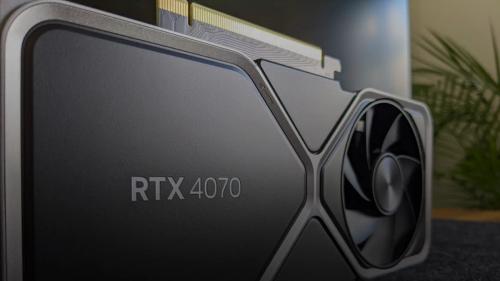
RTX 4060 Ti vs RTX 4070 for Local LLM Inference in 2026
I'd pick the RTX 4060 Ti if you're running sub-13B models solo on a tight budget, and the RTX 4070 if VRAM headroom and generation speed actually matter to your workflow. The $150 price gap is real, but so is the performance cliff you hit at 16GB models.
![GGUF vs GPTQ vs EXL2: LLM Quantization Compared [2026]](https://img.kunalganglani.com/images/vzekdneq/production/34e429bea58e21d5119b5baad6b9efe44974be77-1200x675.webp?auto=format&fit=max&q=75&w=500)
GGUF vs GPTQ vs EXL2: LLM Quantization Compared [2026]
A head-to-head comparison of GGUF, GPTQ, and EXL2 quantization formats with real quality, speed, and VRAM trade-offs — updated for the 2026 Hugging Face acquisition of ggml.ai.

Intel Arc B580 vs RTX 4060 for AI Workloads in 2026: Which Budget GPU Actually Wins?
The RTX 4060 wins for production AI pipelines thanks to CUDA's mature ecosystem, but the Intel Arc B580 wins on raw memory bandwidth and value per dollar for local LLM inference. Your choice comes down to software stack, not just specs.

Kunal Ganglani (2026, September 27). Intel Arc B‑Series Local LLM Benchmark [2026]: Arc Done Right. Kunal Ganglani. Retrieved September 27, 2026, from https://www.kunalganglani.com/blog/intel-arc-b-series-local-llm-benchmark
Frequently Asked Questions
Is Intel Arc good for running local LLMs?
It can be, especially if you want more GPU memory for less money than a new NVIDIA card. The tradeoff is software friction: you’ll spend more time on drivers and runtime choices. If you want the least hassle, NVIDIA is still the safer pick.
Does Intel Arc support CUDA?
No. CUDA is NVIDIA’s platform, and Intel Arc GPUs don’t run CUDA kernels. For local models, you typically use vendor-neutral paths like Vulkan (for GGUF/llama.cpp) or Windows DirectML as a compatibility fallback.
What is the best quantization (GGUF) for a 12GB GPU?
For 8B models, Q5_K_M is a solid quality default if you have headroom, while Q4_K_M is a safer choice if you also want longer context. For 14B models on 12GB, Q4_K_M is usually the practical starting point. Context length matters as much as the quant level, because longer context increases memory use.