How to Set Up a Local AI Hub for Home Automation Privacy [2026]
A practical workflow to keep a “local AI hub” actually local: map cloud dependencies, segment your IoT LAN, then prove (via DNS, SNI, and firewall logs) what’s phoning home.


If you want a local AI hub to run home automation agents without cloud data sharing, you need two things: network control and proof. The prerequisite that trips people up is simple. If your hub sits on the same flat LAN as everything else, you can’t tell “local AI” from “quiet telemetry.”
This tutorial is a local ai hub home automation privacy setup you can actually verify. We’ll map what likely runs locally vs. what tends to reach the cloud (setup, updates, voice/LLM, remote access). Then we’ll segment your LAN so the hub can talk to devices but not the internet. Finally, we’ll validate outbound behavior three ways: DNS logs, packet capture/SNI, and firewall deny logs.
UGREEN is pitching HomeAgent as an “agentic AI local hub” that unifies local AI compute and storage. Cool. But I don’t trust marketing copy for privacy claims. I trust packet captures.
Here’s the official product framing if you want to see what UGREEN is promising: UGREEN Official.
What is a local AI hub?
A local AI hub is a home device that runs automation logic and AI-assisted behaviors on your own network, ideally performing inference and orchestration locally instead of sending your smart-home data to a vendor cloud.

In practice, “local” can mean at least three different layers, and each layer can have different cloud dependencies:
- Hub firmware + core services: device discovery, device control, local storage, and whatever “agent runtime” the hub runs.
- Mobile app onboarding + account flow: pairing, Wi‑Fi provisioning, device registration, push notifications.
- AI/voice pipeline: speech-to-text, intent classification, LLM inference, tool calling, and TTS.
A hub can be local in layer 1 and still leak in layers 2 or 3.
If you’re new to the “agent” vocabulary being used in smart homes right now, skim my AI agents pillar. Smart-home hubs are basically shipping consumer-grade agent orchestration with nicer packaging.
Step 1: Map what runs local vs what might still hit cloud
When a vendor says “local AI,” I translate it into a checklist of the usual escape hatches. You’re not being cynical. You’re being accurate.
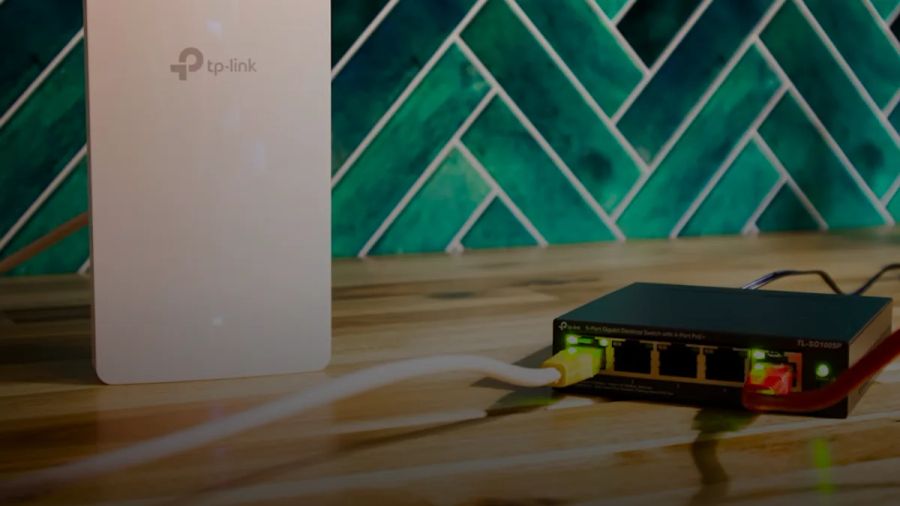
What should be able to run locally (and how to test it)
If the product is serious about local-first, this stuff should keep working even if your ISP is having a bad day.
- Automations and device control: lights, switches, scenes, schedules. This should keep working with WAN unplugged.
- Local integrations: MQTT, local HTTP, LAN discovery.
- Local storage: if the hub “unifies compute and storage,” recordings and logs shouldn’t evaporate the moment the internet drops.
Concrete test: after setup, you should be able to flip your WAN off for 30 minutes and see zero functional degradation for local automations.
What commonly requires cloud (even on “local-first” products)
This is where most “local” pitches quietly fall apart.
- First-time onboarding: lots of products insist on account creation or cloud registration.
- Firmware updates: almost always cloud.
- Remote access: unless you self-host a VPN.
- Voice/LLM inference: the big one. Some hubs do a local wake word, then ship your audio or text off to a cloud STT/LLM anyway.
Home Assistant is a good baseline because it’s honest about the split. The core runs locally. Optional cloud features add remote access and convenience. Nabu Casa literally sells that tradeoff on Home Assistant Cloud.
That “map what runs where” lens is also how I think about real production AI systems. Same discipline at home. List dependencies. Figure out what’s critical. Put the rest on a leash. My post on AI in production is the enterprise version of this mental model.
The privacy stance I recommend
Default position: assume everything wants to phone home until you can prove it doesn’t.
That’s not paranoia. It’s one of those things where the boring answer is actually the right one.
Step 2: Segment your LAN (so local traffic works, internet doesn’t)
If you keep your hub on the same network as your laptops, it will have accidental access to way more than it needs. Segmentation is blast-radius control. It’s also the only way your logs mean anything.
The target architecture is:
- LAN (trusted): laptops, phones, servers.
- IoT VLAN (untrusted): switches, bulbs, cameras, smart speakers.
- Hub VLAN (semi-trusted): the “local AI hub” itself. It’s more capable than a bulb, but less trustworthy than your workstation.
If you only do one thing, do this. Put the hub on its own VLAN and block outbound internet by default.
Minimal addressing plan
Keep it boring. Boring networks are debuggable networks.
- LAN:
192.168.10.0/24 - IoT:
192.168.20.0/24 - Hub:
192.168.30.0/24
Three subnets. Easy to reason about. Enough separation to actually see what’s going on.
Why “Hub VLAN” is worth it
A local AI hub is not a dumb endpoint. It’s a small server with storage and an agent runtime. Treat it like any other box that can run a large language model in a tool loop.
If you’ve built agents, you already know why this matters. If you haven’t, here’s the smart-home translation: don’t run your security cameras on the same network as your work laptop.
For more on how I think about agent attack surfaces, see AI security and the very real threat of prompt injection in any system that turns “natural language commands” into actions.
Step 3: pfSense rules that keep discovery working (without “allow any”)
Most IoT segmentation guides fail at the most predictable moment.
They isolate things, discovery breaks, then they add an “allow any” rule because they just want it to work. Congratulations. You now have a flat network again. You just made it harder to see what’s leaking.
Don’t do that.
Use a stateful firewall and be explicit. pfSense is a solid choice and the docs are genuinely good: pfSense Documentation.
The baseline policy
For both IoT VLAN and Hub VLAN:
- Allow to local DNS (your resolver, e.g. Pi-hole)
- Allow to NTP (your firewall or a local NTP server)
- Allow east-west traffic only where needed (Hub ↔ IoT)
- Block everything else to WAN with logging enabled
Point #4 is the whole tutorial. “Default deny” plus logs is what turns privacy into something you can audit.
The “things that usually break” allowlist
You’ll probably need a subset of these. The right list depends on your stack, but the failure modes are weirdly consistent.
- DNS: UDP/TCP
53to your Pi-hole (or Unbound) - NTP: UDP
123(prefer a local NTP server. Don’t let every device hit random pool servers) - mDNS: UDP
5353(multicast discovery) - SSDP/UPnP discovery: UDP
1900 - MQTT (if you use it): TCP
1883(or8883for TLS) - Home Assistant: typically TCP
8123(if your hub talks to HA) - Matter: often UDP
5540(plus multicast behavior)
That’s already seven concrete items. The move is not “open these to the internet.” The move is “open these inside your LAN segments, and nowhere else.”
If you’re running a local voice stack or any local AI components, you’ll likely also have internal HTTP ports between services. Keep them internal. Always.
Practical pfSense pattern
- Create aliases:
IOT_NET,HUB_NET,DNS_SERVER,NTP_SERVER,HA_SERVER - Add rules on the VLAN interface tabs, in this order:
- Pass DNS to
DNS_SERVER(log) - Pass NTP to
NTP_SERVER(log) - Pass Hub ↔ IoT on required ports (log)
- Block any to WAN (log)
- Pass DNS to
Make the rules noisy at first. Logs are data.
If you want a general mental model for doing “restrict egress, then measure what breaks,” it’s the same loop I use when I build deterministic gates in this site’s multi-agent publishing pipeline. Operating that pipeline (261+ posts shipped), I learned the hard way that deterministic gates catch more issues than just upgrading to a bigger model. Same deal here. A deterministic network gate beats “trust me bro” privacy.
Step 4: Verify outbound traffic (DNS logs → SNI/pcap → firewall logs)
This is the repeatable workflow most guides skip.
You’re going to prove what the hub is attempting, even if those attempts get blocked.
4A. DNS query logs (Pi-hole)
DNS is the easiest audit trail because almost everything starts with a hostname.
Pi-hole is literally built for this. It’s a “DNS sinkhole” with a dashboard and query logging: Pi-hole documentation.
What to do:
- Make Pi-hole the only DNS server your Hub VLAN can reach.
- Turn on query logging.
- Reboot the hub. Then do a “normal” day. Open the app, trigger an automation, try voice.
- Export or screenshot the query log filtered by the hub’s IP.
What you’re looking for:
- Vendor domains you expect (update CDN, auth)
- Vendor domains you don’t expect (analytics, crash reporting)
- Third-party telemetry (common:
*.amazonaws.com,*.cloudfront.net,*.googleapis.com)
Even if you can’t interpret every domain, you can count. If your “local AI hub” is making hundreds of DNS lookups/day to external domains, it’s not behaving like an offline-first controller.
One more thing. If you suspect the hub is trying to resolve DNS over something else (DoH/DoT), treat that as a red flag. I’ll cover it in pitfalls.
4B. Packet capture + SNI with Wireshark/tcpdump
DNS tells you names. Packet capture tells you where the traffic actually goes.
Wireshark’s display filter reference is the canonical resource when you’re filtering down to what matters: Wireshark Display Filters.
What to capture:
- Mirror the hub’s switch port or capture on pfSense.
- Focus on outbound attempts from the hub IP.
What you can see without decrypting TLS:
- Destination IPs and ports
- TLS handshake metadata, often including SNI (Server Name Indication)
Useful filters to start with:
ip.addr == 192.168.30.50(replace with hub IP)tls.handshake.extensions_server_name(to spot SNI)dns(to correlate DNS and connections)quic(to spot HTTP/3 attempts)
If SNI is present, you can usually map “destination IP” back to a hostname even if DNS is doing something clever.
This is the point where you stop guessing.
4C. Firewall logs (pfSense)
Firewall logs tell you what actually got out and what got blocked.
With “block to WAN” logging enabled, you get an auditable list of:
src IP(hub)dst IPdst port- timestamps
If you see repeated blocks to 443 every 10 seconds right after boot, that’s usually a cloud dependency or a telemetry retry loop.
This is also the safest way to validate “it stays local” because you’re enforcing it, not just watching it.
If you want the same thinking applied to software agents, my post on agent framework selection and failure modes is the software version of this: don’t trust the happy-path demo. Build a harness. Watch what breaks.
Step 5: Offline acceptance test (prove it still works when WAN is down)
You don’t have “local-first.” You have “local-ish until the ISP sneezes” unless you test it.
Here’s the checklist I use.
- Baseline: with WAN up, confirm the hub works for: 3 automations, 1 device discovery flow, and 1 voice/agent command.
- Cut WAN: physically unplug WAN or disable it on your router for 20 minutes.
- Power cycle: reboot the hub while WAN is down.
- Run the same 5 tasks again.
- Watch your logs:
- Pi-hole: do DNS queries spike?
- pfSense: do you see repeated blocked attempts to the same IPs/domains?
- Restore WAN: re-enable WAN and verify the hub doesn’t “catch up” by dumping a backlog of telemetry.
Step #3 is the money step. Reboots are where devices love to register, phone home, and “validate licenses.”
If you’re building home automation local voice assistant without cloud, you can validate the voice pipeline separately too. I’ve got a full stack write-up here: local AI voice assistant.
Step 6: Firmware updates without turning your privacy model into Swiss cheese
Firmware updates are the most legitimate reason a local hub needs internet.
You still don’t have to leave the door open all day.
My recommended process:
- Create a temporary “update window” rule: allow Hub VLAN egress to WAN for 60 minutes.
- Schedule it. Don’t leave it on.
- During the window:
- Watch Pi-hole queries.
- Watch pfSense states and logs.
- After the window:
- Disable the rule.
- Reboot the hub once. Confirm it still functions offline.
If your hub breaks when you block internet again, that’s not a “privacy device.” That’s a cloud device with a local cache.
This is the same pattern I use for sensitive workflows in my own automation. One hard lesson from operating my GSC-driven SEO automation is that changes need isolation windows to attribute impact. Networking is the same. Make changes in controlled windows, observe, then lock it back down.
Step 7: Common pitfalls (and how to mitigate them)
These are the ways a “local-only” plan fails in real homes.
Hardcoded DNS (device ignores your resolver)
Symptom: Pi-hole logs show nothing, but the hub still reaches the internet.
Mitigation:
- Block outbound DNS (
53) to anywhere except your resolver. - Add NAT redirection rules. Force all
53to Pi-hole.
DoH/DoT (DNS over HTTPS/TLS)
Symptom: outbound 443 to known DoH endpoints, and no readable DNS.
Mitigation:
- Block known DoH endpoints.
- Prefer allowlisting outbound rather than trying to maintain a denylist forever.
QUIC/HTTP3 hides some hostname cues
Symptom: lots of UDP 443 traffic (QUIC). Harder to inspect.
Mitigation:
- Block UDP
443from Hub VLAN and IoT VLAN. - Force fallback to TCP
443where SNI and logging tend to be easier.
If you want to go deep on this, I wrote a full playbook on QUIC debugging. Same protocol. Same pain.
Certificate pinning (TLS inspection won’t help)
Symptom: you can’t MITM even if you wanted to.
Mitigation:
- Don’t rely on TLS inspection for privacy guarantees.
- Rely on DNS logs, destination IPs, and firewall egress controls.
“Local AI” that still uses cloud LLMs for the hard part
Symptom: voice works online only, or gets dramatically slower offline.
Mitigation:
- Force an offline test.
- If it’s cloud-backed, decide intentionally. Sometimes the right answer is to run your own local LLM on a box you control.
Based on the benchmark data I maintain at kunalganglani.com/llm-benchmarks, small local models can be perfectly usable for intent classification and home-control tool routing. You don’t need frontier-model intelligence to turn on a lamp. You need reliability.
My prediction: “local AI” will become a networking problem, not an AI problem
Smart-home vendors are going to ship more “agentic AI” hubs because it’s the only way they can sell privacy and speed in 2026 without admitting the cloud business model is getting toxic.
The winners won’t be the hubs with the fanciest model. They’ll be the ones that make local-only verifiable. Clear dependency maps. Offline-first UX. Admin-grade egress controls.
Until then, don’t buy the promise. Buy the device, stick it on a VLAN, and make it earn your trust.
Photo by Andrey Matveev on Unsplash.
Continue reading
10 Self-Hosted AI Tools That Replace SaaS [2026 Tested]
I tested self-hosted AI alternatives across 10 SaaS categories — analytics, transcription, search, vector DB, OCR, translation, CRM, LLM inference, API clients, and bookmarks. Here's what actually saves money and what's not worth the setup.

Local AI Voice Assistant Stack 2026: Whisper + Piper + Ollama Wired Together
Build a fully offline voice assistant in 2026 using Whisper STT, Piper TTS, Ollama, and Home Assistant — no cloud, no subscription, no data leaving your network.

Self-Hosted Voice Assistant With Home Assistant: The Complete 2026 Guide to Ditching Alexa
Amazon and Google are stuffing ads and unwanted AI into your voice assistants. Here's how to build a fully private, locally-hosted alternative with Home Assistant that actually works.

Your Robot Vacuum Is Watching You: The $30K Hack That Exposed Thousands of Smart Homes
Security researchers earned $30,000 by proving they could remotely hijack Roborock vacuums, access home maps, and spy through cameras. Your smart home is less secure than you think.

Kunal Ganglani (2026, September 4). How to Set Up a Local AI Hub for Home Automation Privacy [2026]. Kunal Ganglani. Retrieved October 19, 2026, from https://www.kunalganglani.com/blog/local-ai-hub-privacy-setup