Apple Silicon vs NVIDIA GPU for Local LLMs in 2026: Which Wins?
NVIDIA wins on raw throughput and ecosystem depth for serious multi-GPU workloads; Apple Silicon wins on memory bandwidth per dollar and zero-friction local inference for solo developers. Your budget and batch size decide the rest.


I've spent the last six months running local LLMs on both an M4 Max MacBook Pro and an RTX 4090 desktop. Apple Silicon versus NVIDIA for local LLM work in 2026 is closer than it's ever been, and most comparison articles get the answer wrong because they benchmark the wrong models.
Here's the short version: Apple Silicon wins on memory-per-dollar and silent, portable inference. NVIDIA wins on peak throughput, fine-tuning, and ecosystem maturity. The right choice depends almost entirely on whether you hit Apple's ceiling and what you plan to do when you get there.
Model size is the single most important variable when choosing between Apple Silicon and NVIDIA for local LLMs. Everything else is secondary.
The Headline Differences
Apple silicon vs nvidia comes down to memory capacity and workflow. Apple Silicon’s unified memory can allocate 128–192 GB to one inference job, making 70B-class models practical without multi-GPU complexity, while staying quiet at ~30–60 W. NVIDIA GPUs top out at 24 GB on an RTX 4090 but win on peak throughput, fine-tuning support, and a far more mature CUDA ecosystem.
| Dimension | Apple Silicon (M4/M5 Max/Ultra) | NVIDIA (RTX 4090 / H100) | Winner |
|---|---|---|---|
| Memory capacity (max) | Up to 192 GB unified (M4 Ultra) | 24 GB GDDR6X / 80 GB HBM2e (H100) | Apple Silicon |
| Memory bandwidth | ~800 GB/s (M4 Ultra) | ~1,008 GB/s (H100 SXM) / 1,555 GB/s (H200) | NVIDIA (H100+) |
| Tokens/sec — 7B model (fp16) | ~60–90 t/s (M4 Max) | ~120–180 t/s (RTX 4090) | NVIDIA |
| Tokens/sec — 70B model (Q4) | ~15–25 t/s (M4 Max 128 GB) | ~8–12 t/s (RTX 4090, if fits) | Apple Silicon |
| Entry price for 70B inference | ~$3,499 (M4 Max 128 GB Mac) | ~$10,000+ (dual 4090 or used H100) | Apple Silicon |
| Fine-tuning / training support | Limited (MLX, limited CUDA parity) | Full (CUDA, cuDNN, bitsandbytes) | NVIDIA |
| Framework ecosystem | Growing (MLX, Ollama, llama.cpp) | Mature (PyTorch, CUDA, HuggingFace) | NVIDIA |
| Power consumption (typical) | 30–60 W active inference | 250–400 W (RTX 4090 at load) | Apple Silicon |
| OS / platform lock-in | macOS only | Windows, Linux, WSL2 | NVIDIA |
| Setup complexity | Low (Ollama, LM Studio: GUI-driven) | Medium-High (drivers, CUDA versions) | Apple Silicon |
| Security attack surface | Lower (no discrete PCIe bus) | Higher (GPUHammer, MIG side-channels) | Apple Silicon |
| Best-fit use case | Solo dev, large-model inference, laptop | Batched serving, fine-tuning, research | Depends |
Seven architectural facts drive every real-world difference between these platforms. I'm listing them here because I got tired of seeing comparisons that ignore half of them:
- Memory architecture: Apple Silicon uses a unified memory pool shared between CPU, GPU, and Neural Engine cores on the same die. NVIDIA GPUs use discrete VRAM (GDDR6X or HBM) connected over PCIe. This means Apple can allocate 128 GB or even 192 GB to a single inference job. The RTX 4090 tops out at 24 GB VRAM. Even the H100 SXM only offers 80 GB per card.
- Bandwidth vs. capacity trade-off: The H100 SXM delivers around 3.35 TB/s of memory bandwidth. Apple's M4 Ultra hits roughly 800 GB/s. NVIDIA wins bandwidth-per-card, but Apple wins total accessible memory per dollar in the consumer tier. This distinction matters more than most people realize.
- Software ecosystem: NVIDIA's CUDA ecosystem is 15+ years deep. PyTorch, HuggingFace Transformers, bitsandbytes, DeepSpeed, and virtually every fine-tuning library targets CUDA first. Apple's MLX framework is maturing fast, and llama.cpp's Metal backend is legitimately competitive for inference. But you will hit gaps during fine-tuning. I have. Repeatedly.
- Power and thermal envelope: Apple Silicon draws 30–60 W during active inference on an M4 Max. An RTX 4090 draws 250–400 W under load, requiring dedicated power circuits and real cooling infrastructure.
- Price-to-capability ratio for large models: A Mac Studio with 128 GB unified memory costs approximately $3,499. Running a comparable 70B model on NVIDIA hardware requires either a dual-4090 setup (roughly $3,600+ in GPU cost alone, plus workstation hardware) or a used/cloud H100 at significantly higher cost.
- Security posture: Discrete GPU memory is an increasingly documented attack surface. Research on GPUHammer attacks and side-channel vulnerabilities in NVIDIA's MIG partitioning scheme demonstrates real risks for multi-tenant GPU environments that don't exist in the same form on Apple's integrated architecture.
- Platform portability: NVIDIA works on Linux and Windows with strong WSL2 support. Apple Silicon is macOS-only. If you need Linux server deployments, that's a hard blocker. Full stop.
When Apple Silicon Wins
Apple Silicon is the default recommendation for a specific set of local LLM users: developers who need large-model inference without a large-model budget, in a quiet and portable form factor, with minimal setup friction.
I've been in this camp for most of my daily work, and it's not even close.
Running Models That Won't Fit in NVIDIA VRAM
This is Apple's clearest win, and it's the one most benchmark posts undersell. A Llama 3 70B model quantized to Q4_K_M requires approximately 40–45 GB of memory. On NVIDIA, your only single-card option at that scale is the H100 (80 GB, starting around $25,000–$30,000 new) or creative multi-GPU tensor parallelism with dual RTX 4090s. That setup introduces latency, driver complexity, and a $3,500+ GPU bill before the workstation.
On a Mac Studio M4 Ultra with 192 GB unified memory, you load the model, open Ollama or LM Studio, and run inference in minutes. I've done exactly this. No fiddling with NCCL, no debugging tensor parallelism configs. Just inference.
Apple's M5 Max, covered in detail in Apple's M5 Max Just Made the Case for Local AI Development. NVIDIA Should Pay Attention., pushes this further. The memory controller efficiency improvements mean more of that bandwidth is usable for actual model weights versus overhead.
Solo Developer Workflow and Daily Inference
For developers who want a private coding assistant, a local RAG pipeline, or an offline document analysis tool, Apple Silicon is friction-free in 2026. Tools like Ollama, LM Studio, and Jan all have polished macOS interfaces. The Complete Guide to Running Local LLMs in 2026 covers the full software stack, but here's the short version: on Apple Silicon, you can be running a 13B model within ten minutes of unboxing a new Mac.
The memory constraints that shape hardware decisions become even more consequential when you're running stateful agents rather than single-shot inference — the AI Agent Memory State Management Guide [2026] covers how four-tier memory architecture interacts with the kind of context budgets Apple Silicon and NVIDIA handle very differently.
On NVIDIA, you'll spend time on CUDA driver versions, Python environment management, and figuring out why your quantization library doesn't support your specific GPU architecture. I've shipped enough side projects to know that setup friction kills momentum. If I have a Saturday afternoon to prototype something, I don't want to spend two hours debugging torch.cuda.is_available() returning False.
Power Budget and Portability
If you're running inference on a MacBook Pro M4 Max during flights or in a co-working space, there is no NVIDIA equivalent. The same 30–40 W thermal design that lets you last eight hours on battery is the same silicon doing your LLM inference. A desktop RTX 4090 setup running 24/7 costs roughly $60–100/month in additional electricity in most U.S. markets. Apple Silicon inference runs at a fraction of that.
Security-Sensitive Environments
Apple's unified memory architecture eliminates the discrete PCIe bus that makes row-hammer style GPU attacks possible. For solo developers handling sensitive data (medical records, legal documents, private code) the attack surface is meaningfully smaller. This isn't theoretical. The security research discussed in GPU Rowhammer Is Real: How GPUHammer Hijacks NVIDIA Graphics Memory demonstrates that NVIDIA GDDR and HBM memory is vulnerable to practical exploitation in ways that Apple's on-die unified memory is not.
When NVIDIA Wins
Despite Apple's compelling inference story, NVIDIA discrete GPUs remain the right choice for a large set of workloads. And the gap is not closing as fast as Apple's marketing suggests.
Fine-Tuning and Training
This is NVIDIA's most durable advantage, and I don't see it changing in the next two years.
If you need to fine-tune a model, even with LoRA or QLoRA at modest scale, CUDA is still the only ecosystem with mature, battle-tested tooling. Libraries like bitsandbytes, PEFT, and Axolotl all target CUDA primarily. MLX supports some LoRA workflows, but the documentation is thinner, community debugging is harder, and you'll regularly encounter models or techniques that simply aren't ported yet.
I tried running a QLoRA fine-tune on MLX last quarter. It worked for the specific model I was using, but the moment I switched to a different architecture, I hit a wall. On CUDA, the same experiment took twenty minutes to set up. For any serious fine-tuning work in 2026, an RTX 4090 with 24 GB VRAM running QLoRA on a 13B–34B model is still the practical standard for home lab use.
Token Throughput for Multi-User or Batched Serving
Apple Silicon's unified memory bandwidth (~400 GB/s on M4 Max, ~800 GB/s on M4 Ultra) is impressive for sequential inference. But NVIDIA's H100 SXM at ~3.35 TB/s is in a completely different league for batched inference, where multiple requests are processed simultaneously and memory bandwidth is the binding constraint.
If you're building a local LLM server that needs to handle five or ten simultaneous users, an H100 will deliver dramatically higher aggregate throughput than any current Apple Silicon configuration. For developers benchmarking this kind of workload, Local LLM vs Claude for Coding: I Benchmarked a $500 GPU Against Cloud AI provides a useful cost-per-token framework.
If you’re pushing toward multi-user serving, the failure mode usually isn’t raw FLOPS—it’s how fast your KV cache grows and thrashes under concurrency. I broke down the practical limits and the specific vLLM/SGLang/TGI knobs that move P99 in How to Serve a Local LLM to Multiple Users [2026].
Ecosystem Depth and Research Tooling
If you're working with the latest model architectures (Mamba, RWKV, custom attention variants, anything requiring custom CUDA kernels) NVIDIA is the only practical option. Triton, CUDA kernels, FlashAttention, xformers. They all assume CUDA. The research community publishes new techniques targeting NVIDIA hardware exclusively. Apple's MLX team is good, but they are perpetually playing catch-up on novel architectures. That's just the reality.
Linux Production Pipelines
If your local development machine needs to mirror a Linux production environment, whether for Docker compatibility, systemd service management, or reproducible server deployments, NVIDIA + Linux is the only path. Apple Silicon is macOS-only. There is no Metal backend for a Linux server, and the MLX stack doesn't transfer to your cloud deployment.
The AMD ROCm vs CUDA for Local AI: What Nobody Tells You About the Open-Source Alternative post is worth reading if you're evaluating all three options. AMD + ROCm is increasingly viable for Linux-native workflows where you want CUDA-like flexibility without full NVIDIA vendor lock-in.
Memory Architecture Deep Dive
Most surface-level comparisons get the memory story wrong. Here's what's actually happening.
Apple's unified memory architecture places CPU, GPU, and Neural Engine on the same silicon die, sharing a single large pool of LPDDR5X memory. In the M4 Ultra configuration, that pool reaches 192 GB with a combined bandwidth of approximately 800 GB/s. The critical insight: every byte of that memory is accessible to the GPU without a PCIe copy. When you load a 65B model, all 65 GB live in the same pool the GPU samples from during inference. No host-to-device transfers. No pinned memory management.
NVIDIA's architecture is fundamentally different. The GPU has its own dedicated VRAM (GDDR6X on consumer cards, HBM2e/3 on data center cards) connected to the host CPU via PCIe 4.0 or 5.0. The RTX 4090's 24 GB of GDDR6X sits on-package and delivers approximately 1,008 GB/s of bandwidth to the GPU. That's faster than Apple's M4 Max in pure GPU memory bandwidth. But it's a hard ceiling. Once your model weights exceed 24 GB, you either quantize more aggressively (losing quality), split across multiple GPUs (adding complexity and latency), or offload layers to CPU RAM (which tanks throughput).
The practical result: for models in the 7B–13B range (roughly 4–8 GB quantized), NVIDIA's faster VRAM bandwidth produces higher tokens-per-second. An RTX 4090 running Llama 3.1 8B at Q4_K_M typically hits 120–180 tokens/second. An M4 Max achieves approximately 60–90 tokens/second on the same model. But for 70B models, the RTX 4090 simply cannot run the full model in VRAM. It's forced to offload layers, often dropping to 5–15 tokens/second. The M4 Max with 128 GB unified memory runs the full 70B model in-memory at 15–25 tokens/second. Slower than a 4090 on a small model, but dramatically faster than a 4090 choking on a model it can't fit.
Model size is the single most important variable in choosing between these platforms. Everything else is secondary.
Cost Analysis: What You're Actually Paying Per Token
Raw hardware sticker prices are misleading without total cost of ownership over a realistic inference workload.
Apple Silicon entry points: A Mac Mini M4 with 32 GB unified memory costs approximately $1,099. It runs 13B models comfortably and 34B models with aggressive quantization. A Mac Studio M4 Max with 128 GB runs approximately $3,499 and handles full 70B inference. A Mac Studio M4 Ultra at 192 GB approaches $9,999 but competes with multi-GPU NVIDIA setups costing $15,000+.
NVIDIA entry points: An RTX 4090 costs approximately $1,600–$2,000 on the secondary market. Add a workstation chassis, PSU, cooling, and CPU/RAM, and a complete build runs $3,000–$4,500. For 70B inference without offloading, dual RTX 4090s (approximately $3,200–$4,000 in GPU cost alone) or a used H100 PCIe (approximately $12,000–$18,000) are your realistic options.
Operating costs matter at scale. An RTX 4090 draws approximately 350 W at full inference load. Running it eight hours daily at $0.13/kWh adds roughly $13/month. An M4 Max at 40 W costs approximately $1.50/month for the same usage pattern. Over two years, the electricity differential on continuous inference workloads approaches $280–300. Not decisive, but real money.
If you want to sanity-check those electricity numbers against idle draw, depreciation, and realistic utilization, I worked through the full model in Local LLM Break-Even Math [2026]: Power, Idle, Depreciation.
The bottom line on cost: For models under 30B parameters, a well-configured NVIDIA system is competitive on both price and performance. For 70B+ models, Apple Silicon's total cost of ownership advantage is substantial. You avoid multi-GPU complexity and the premium pricing of H100-class hardware entirely.
Setup Complexity and Developer Experience
Setup friction is underrated. It directly affects how much time you spend configuring versus actually building. Having set up both platforms from scratch multiple times, I have strong feelings about this.
Apple Silicon in 2026 is genuinely plug-and-play for inference. Installing Ollama on macOS takes under two minutes. Pulling and running Llama 3.1 70B takes another five. LM Studio provides a polished GUI for model management. The Metal backend in llama.cpp is stable and fast. Apple's MLX library uses a Pythonic API that feels familiar to PyTorch users. If you want to spend your time prompting and building applications rather than managing CUDA environments, Apple Silicon is clearly ahead.
NVIDIA's setup story has improved but remains more complex. CUDA driver versions must match your toolkit version, which must match your PyTorch version. That compatibility matrix still trips up experienced developers. I've seen senior engineers lose half a day to it. NVIDIA's Container Toolkit simplifies Docker-based deployments significantly, and pre-built images from NGC help with research reproducibility. But the initial setup on a fresh Linux install still requires deliberate environment management that Apple Silicon avoids entirely.
For fine-tuning, NVIDIA's complexity is justified by capability. The tooling depth (Weights & Biases integration, multi-GPU training scripts, gradient checkpointing) is mature in ways Apple's stack isn't. But for pure inference? Apple Silicon's developer experience is better. Period.
How to Choose Between Them
The decision tree is simpler than most comparison articles suggest once you're honest about two questions: What is the largest model you realistically need to run? and Do you need to fine-tune or just infer?
Choose Apple Silicon if:
- Your target models are 30B+ parameters and you can't or won't buy H100-class hardware
- You're a solo developer or small team doing private inference on sensitive data
- You work primarily in macOS and want a portable, low-power setup
- Setup time matters more to you than squeezing out maximum throughput
- You want to avoid multi-GPU complexity and CUDA version management
Choose NVIDIA if:
- You need to fine-tune models, even at LoRA scale. CUDA tooling is the clear standard here.
- Your workload involves batched inference across multiple simultaneous users
- You're building on Linux and need dev to mirror production
- Your models are primarily 7B–13B, where NVIDIA's bandwidth advantage translates to meaningfully faster token generation
- You need cutting-edge model architectures published with CUDA-only kernels
The genuinely difficult middle ground is a developer running 34B models on macOS who occasionally wants to fine-tune. The pragmatic answer for 2026 is often both: an M4 Max Mac as a daily driver for inference, paired with a cloud NVIDIA instance (Lambda Labs, Vast.ai, or similar) for occasional fine-tuning runs. I've been running this exact setup for months, and it's the best balance I've found. The Running Local LLMs in 2026: The Complete Hardware and Setup Guide covers this hybrid approach in detail.
Common Mistakes When Choosing Between Apple Silicon and NVIDIA
Mistake 1: Comparing Peak Numbers Without Checking Model Size
Most benchmark headlines compare the two platforms on a 7B or 13B model. That's the size range where NVIDIA wins clearly on tokens-per-second. But if you're actually planning to run Llama 3 70B or Mixtral 8x22B, those benchmarks are irrelevant. At 70B, Apple Silicon is often the only affordable option that doesn't force severe quality-reducing quantization or painful layer offloading. Always check whether the model you actually want to use fits in VRAM before trusting a benchmark. This sounds obvious. People get it wrong constantly.
Mistake 2: Ignoring the Fine-Tuning Question Until Too Late
Developers who buy Apple Silicon for inference and then discover they need fine-tuning support face a painful choice. MLX's LoRA support is improving, but it's not equivalent to the CUDA ecosystem in 2026. If you think you might want to fine-tune in the next 12–18 months, even lightweight LoRA fine-tuning, factor that into your hardware decision now. Not after purchase.
Mistake 3: Treating Apple Silicon as a Security Default Without Understanding the Full Stack
Apple's unified memory does reduce certain GPU-specific attack vectors. But application-layer security, prompt injection, and data handling practices matter far more for most local LLM deployments than memory-level hardware attacks. The Complete Guide to AI Security in 2026 is a useful reminder that hardware architecture is only one layer of a complete security posture. Don't let a hardware choice make you complacent about everything above it.
Mistake 4: Assuming the NVIDIA Ecosystem Means Easy Setup
NVIDIA's ecosystem depth is real. That does not mean easy setup. The CUDA/cuDNN/PyTorch/bitsandbytes version compatibility matrix changes with every major release. Developers switching from Apple Silicon to NVIDIA often underestimate how much time they'll spend on environment management rather than model work. Budget several hours for initial setup. Expect occasional dependency conflicts on any NVIDIA + Linux workflow. This is the boring answer nobody wants to hear, but it's the right one.
Where to Go Deeper
This comparison covers the core architectural trade-offs. Here are the pieces I'd read next depending on where you land:
- **Apple's M5 Max Just Made the Case for Local AI Development. NVIDIA Should Pay Attention.** — The most detailed analysis of M5 Max's inference improvements and what they mean for the NVIDIA competitive gap. Start here if you're leaning Apple.
- **The Complete Guide to AI Hardware in 2026** — Covers the full hardware landscape including AMD ROCm, Apple Silicon, NVIDIA, and emerging photonic accelerators. Useful if you haven't committed to a platform yet.
- **Claude Haiku 4.5 vs Llama 3 70B Local: Cost & Quality in 2026** — If you're on the fence between running local models at all versus paying for a cloud API, this head-to-head cost and quality analysis has the numbers.
- **GPU Rowhammer Is Real: How GPUHammer Hijacks NVIDIA Graphics Memory** — A technically detailed breakdown of memory-level security risks specific to NVIDIA discrete GPUs. Read this if security posture is driving your hardware decision.
- **AMD ROCm vs CUDA for Local AI: What Nobody Tells You About the Open-Source Alternative** — AMD ROCm is a real option in 2026 for Linux-native workflows. Worth evaluating before you commit to either platform covered here.
The local LLM hardware landscape will look different in twelve months. Apple's M5 Ultra will likely push unified memory to 256 GB or beyond. NVIDIA's next consumer GPU will probably bump VRAM past 24 GB. But the architectural trade-off at the core of this comparison, unified memory capacity versus discrete bandwidth, isn't going away. Pick the side of that trade-off that matches how you actually work, not how you imagine you'll work someday.
Continue reading

Apple M4 Max vs M5 Max for Local AI in 2026: Which Wins?
The M5 Max wins for serious local AI workloads in 2026, offering ~40% more neural engine throughput and a larger memory ceiling. The M4 Max remains the smart buy for budget-conscious developers who don't need cutting-edge inference speed.
RTX 5090 vs RTX 4090 for AI in 2026: Which GPU Actually Wins?
The RTX 5090 wins for bleeding-edge AI training and large model inference, but the RTX 4090 remains the smarter buy for most local AI workloads in 2026. Here's exactly when each GPU earns its place.

Apple M4 vs M4 Max for Local LLMs in 2026: Which Should You Buy?
The M4 Max wins for serious local LLM work thanks to its unified memory ceiling and bandwidth advantage; the base M4 wins for portability and budget-conscious inference on smaller models. Here's exactly where the line falls.
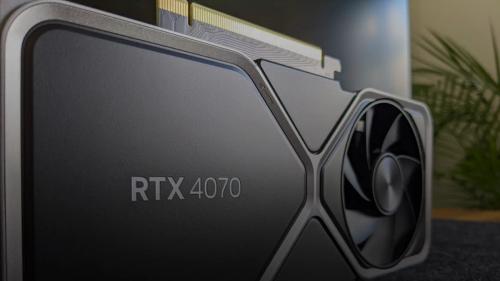
RTX 4060 Ti vs RTX 4070 for Local LLM Inference in 2026
I'd pick the RTX 4060 Ti if you're running sub-13B models solo on a tight budget, and the RTX 4070 if VRAM headroom and generation speed actually matter to your workflow. The $150 price gap is real, but so is the performance cliff you hit at 16GB models.

Kunal Ganglani (2026, May 10). Apple Silicon vs NVIDIA GPU for Local LLMs in 2026: Which Wins?. Kunal Ganglani. Retrieved September 27, 2026, from https://www.kunalganglani.com/blog/apple-silicon-vs-nvidia-for-ai
Frequently Asked Questions
What are the local LLM memory requirements for running a 70B model?
Running a 70B-parameter model at Q4_K_M quantization requires approximately 40–45 GB of accessible memory. On NVIDIA hardware, this means a single H100 (80 GB VRAM) or a dual-GPU setup with two RTX 4090s using tensor parallelism. On Apple Silicon, a Mac Studio M4 Max with 128 GB unified memory handles it comfortably in a single device, making Apple the most accessible single-purchase option for 70B local inference in 2026.
What is a GPU Rowhammer attack and does it affect Apple Silicon?
A GPU Rowhammer attack (also called GPUHammer) exploits electrical interference between adjacent memory rows in GDDR or HBM VRAM to flip bits and corrupt data or escalate privileges — without requiring software vulnerabilities. Research published in 2023–2024 demonstrated these attacks are practical on NVIDIA GPU memory. Apple Silicon's unified memory, integrated on-die with tighter manufacturing tolerances and different access patterns, does not share the same PCIe-connected discrete VRAM architecture that makes NVIDIA GPUs vulnerable to this attack class.
What is the GPUHammer attack on NVIDIA hardware?
GPUHammer is a demonstrated Rowhammer-variant attack targeting NVIDIA GPU VRAM. Researchers showed that by crafting specific memory access patterns — hammering rows of GDDR or HBM memory — an attacker can induce bit flips in adjacent rows without direct write permissions. This can corrupt model weights, bypass security checks, or leak data in multi-tenant GPU environments. The attack is documented in peer-reviewed research and is distinct from software-layer GPU exploits. It affects discrete NVIDIA GPUs and does not apply to Apple's unified memory architecture.
Is there a rowhammer GPU attack specific to NVIDIA MIG cache partitioning?
Yes. Research published under the title 'Behind Bars: A Side-Channel Attack on NVIDIA MIG Cache Partitioning Using Memory Barriers' demonstrated that NVIDIA's Multi-Instance GPU (MIG) feature — designed to partition a single GPU into isolated slices — is vulnerable to cache timing side-channels. An attacker in one MIG partition can infer memory access patterns from another partition. This is separate from Rowhammer but compounds the security concerns for shared-GPU deployments running sensitive LLM workloads.
How does Apple Silicon unified memory compare to NVIDIA VRAM for running local LLMs?
Apple Silicon unified memory and NVIDIA VRAM differ in architecture, capacity, and use case fit. Apple's unified pool (up to 192 GB on M4 Ultra) is shared between CPU, GPU, and Neural Engine with no PCIe transfer overhead, enabling large-model inference on affordable hardware. NVIDIA VRAM tops out at 24 GB (RTX 4090) or 80 GB (H100) per card with higher raw bandwidth but hard memory ceilings. For models under ~20 GB, NVIDIA is faster; for 40 GB+ models, Apple Silicon is often the only affordable single-device option.
Can Apple Silicon run the same local LLM fine-tuning workflows as NVIDIA GPUs?
Not fully, as of 2026. Apple's MLX framework supports basic LoRA fine-tuning for select model architectures, and performance has improved significantly since 2024. However, NVIDIA's CUDA ecosystem — including bitsandbytes, PEFT, Axolotl, and DeepSpeed — offers broader model support, more community-tested recipes, and better multi-GPU scaling for fine-tuning. If fine-tuning is a core requirement, NVIDIA is the safer choice; if you primarily need inference, Apple Silicon's limitations are less impactful.