How to Serve a Local LLM to Multiple Users
If your local LLM server “works” but falls apart at 30–50 concurrent chats, this guide shows the real limiter (KV cache) and the exact knobs in vLLM, SGLang, and TGI that move P99.


You’re going to end this tutorial with one GPU serving a chat model to a bunch of concurrent users, plus a tiny load-test harness that reports TTFT (time-to-first-token) and end-to-end latency percentiles.
This is a guide for the exact problem behind the keyword “serve local llm to multiple users vllm sglang tgi”. Not “it runs on my box.” “It stays fast when 50 people hit it at once.”
Here’s the thing most local-serving guides tiptoe around. Your bottleneck is usually not GPU FLOPS. It’s KV cache and queueing. Once you internalize that, vLLM vs SGLang vs TGI stops being a vibes-based argument and turns into a set of tradeoffs you can actually reason about.
Also, a 2026 reality check: Hugging Face’s Text Generation Inference (TGI) docs say it’s in maintenance mode, and the TGI GitHub repo is archived. You can still run it. But if you’re starting fresh and calling this “production,” you should feel that in your bones.
Before we touch commands, here’s the quick comparison I wish I had the first time I tried to make a single 24GB card behave like a multi-tenant service.
| Stack | Best for on 1 GPU | Tail-latency story (P99) | OpenAI-compatible API | My default pick |
|---|---|---|---|---|
| vLLM | Raw throughput + “just serve it” simplicity | Strong. KV paging + scheduler are built for this | Yes (OpenAI-compatible server) | Yes for most teams |
| SGLang | Long-context + structured generation + serving in one runtime | Strong when you lean into prefix caching / attention optimizations | Yes | Yes when you also need “workflow-y” generation |
| TGI | If you already run it and want stable ops | Fine, but future-facing bets are weaker | Common choice historically | Only for legacy / migrations |
I’ll walk you through launching each server, hitting it with curl, then running a minimal concurrent load.
What is “serving a local LLM to multiple users”?
Serving a local LLM to multiple users is running a large language model (LLM) on your own GPU and exposing it over an HTTP API so many concurrent clients can generate tokens at once with acceptable latency (TTFT/P99) and stable throughput.
The moment you go multi-user, you’re not “just hosting a model.” You’re building a scheduling system. Your GPU becomes a shared resource. If you don’t set hard limits, one long prompt can ruin everyone’s day.
If you’re new to the broader local stack, my higher-level framing lives in local LLM and the practical “what runs where” discussion is in AI in production.
Step 0: Pick a realistic test target (model + hardware)
I’m going to assume a single NVIDIA GPU on Linux. You can adapt this to other environments, but one-GPU concurrency tuning is already hard enough without adding ROCm variance.
A sane baseline:
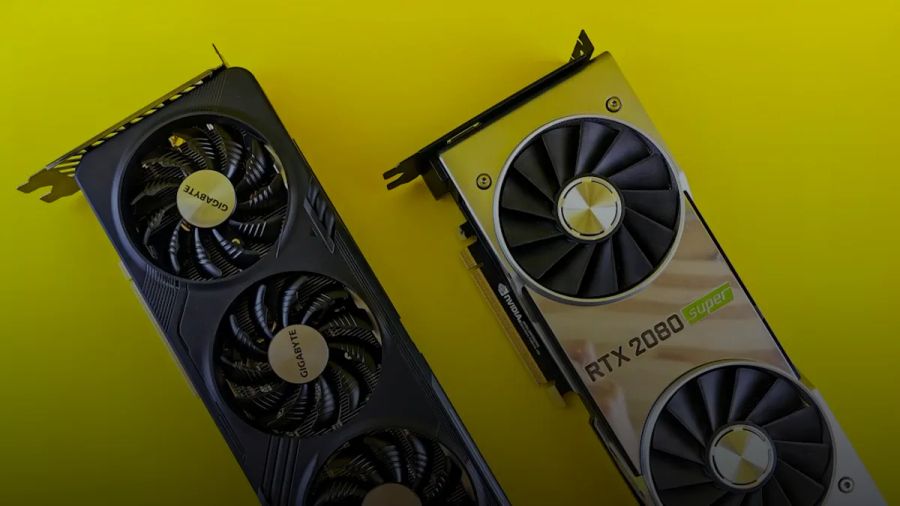
- GPU: 24GB (RTX 4090 / RTX 3090 class) or 48GB (RTX 6000 Ada class)
- Model: something in the 7B–14B range for multi-user chat on one GPU, unless you’re doing aggressive quantization
- Context: pick a number and commit to it. Common: 4K or 8K tokens
If you're picking a model in that 7B–14B range and wondering whether a newer Alibaba release is worth considering, I broke down the actual model lineup in Qwen 4 27B? Why Alibaba Skipped It [2026 Benchmark].
If you want a reality check on whether local even pencils out, I’ve already done the cost math in local LLM cost vs cloud API. A single GPU is often cheaper than people expect. The killer is not cost. It’s tail latency.
One data anchor from my own work: based on the benchmark data I maintain at kunalganglani.com/llm-benchmarks, the same “it fits” local setup can swing from “pleasant” to “unusable” purely based on TTFT variance under concurrency. Throughput averages lie.
How many concurrent users can one GPU support (and why KV cache is the ceiling)
Let’s answer the question everyone asks first: “How many concurrent users can one GPU support for a given model and context length?”
The honest answer: until you run out of KV cache headroom (VRAM), or you hit a scheduler/queueing cliff and P99 explodes.
The mental model that actually works
For decoder-only transformers, each active sequence needs KV cache for every layer. That cache grows roughly with:
- number of concurrent sequences (N)
- context length per sequence (T)
- number of layers (L)
- hidden size / attention head dims (model-specific)
- dtype (FP16/BF16/FP8-ish) and any KV quantization support
So even if your weights fit, concurrency is what kills you.
When I built the Walmart conversational commerce chatbot at Firework, the incidents that hurt weren’t about average latency charts. They were tail spikes from mixed workloads. A few “heavy” requests can hog shared capacity and make everybody else look broken. Same shape here, just with GPU memory and token scheduling instead of Kafka partitions.
A KV cache budget worksheet (practical, not perfect)
You don’t need a perfect formula to avoid faceplanting in prod. You need a budget and the discipline to stick to it.
Use this workflow:
- Start with GPU VRAM: 24GB or 48GB.
- Subtract model weights + runtime overhead.
- Rule of thumb: reserve 10–20% VRAM for fragmentation, CUDA graphs/workspaces, and spikes.
- What’s left is your KV cache budget.
- Decide your maximum context length up front.
- Tune max concurrent sequences until you stop seeing OOM and your P99 stabilizes.
Concrete numbers that keep you honest:
- On a 24GB GPU, I generally plan for ~20GB usable after overhead, not 24GB.
- On a 48GB GPU, I plan for ~40–44GB usable.
Then I deliberately cap:
- max prompt tokens (prefill cost)
- max new tokens (generation time)
- max sequences (concurrency)
Because the “unbounded chat” product fantasy is how you end up with a pager rotation nobody wants.
If you want a deeper grounding on why context length bites so hard, read RAG context window limits. The same physics applies even if you’re not doing retrieval-augmented generation.
Throughput vs latency: what continuous batching optimizes (and why P99 explodes)
Continuous batching servers make a trade:
- They increase throughput (tokens/sec) by packing multiple users’ token steps together.
- They can wreck latency when queueing starts.
The metrics that matter:
- TTFT: time from request arrival to first streamed token
- E2E latency: time to complete the response
- P50 / P95 / P99: percentiles, because averages are marketing
The two big P99 villains:
- Queueing delay: your request is waiting for a batch slot.
- Prefill bursts: prompt processing is compute-heavy and arrives in lumpy spikes.
Once your server is near saturation, a small increase in arrival rate causes a nonlinear jump in queueing. This is why “it worked at 10 users” and “it died at 40 users” can be separated by one Slack announcement.
What you do about it is mostly boring:
- cap prompt length
- cap max new tokens
- set a hard concurrency limit
- tune batch token limits
This is one of those things where the boring answer is actually the right one.
If you’re designing a product experience, pair this with AI agent latency budgets and LLM observability metrics. Same story whether it’s an agent loop or a chat box.
Here’s the official background video if you want a quick explainer on why vLLM became the default inference engine people reach for:
Run vLLM vs SGLang vs TGI on one GPU (copy-paste servers + curl tests)
You can do this in under 90 minutes if you already have CUDA working.
vLLM: launch an OpenAI-compatible server
vLLM’s pitch is simple: high-throughput serving without wasting VRAM. The reason people keep landing on it is the scheduler and KV-cache handling. The OpenAI-compatible server is also genuinely practical. You can drop it behind a gateway without inventing your own API surface.
Primary source: vLLM contributors.
Start the server:
python -m vllm.entrypoints.openai.api_server \
  --model Qwen/Qwen2.5-7B-Instruct \
  --dtype auto \
  --max-model-len 8192 \
  --max-num-seqs 32 \
  --gpu-memory-utilization 0.90 \
  --port 8000
Sanity-check with curl:
curl http://localhost:8000/v1/chat/completions \
  -H "Content-Type: application/json" \
  -d '{
    "model": "Qwen/Qwen2.5-7B-Instruct",
    "messages": [{"role":"user","content":"Write a 2-sentence explanation of KV cache."}],
    "max_tokens": 80,
    "temperature": 0.2,
    "stream": false
  }'
Knobs to remember (we’ll use these later):
--max-model-len: your hard context cap--max-num-seqs: concurrency cap--gpu-memory-utilization: how aggressively to pack VRAM
SGLang: launch a server with OpenAI-compatible APIs
SGLang is what I reach for when I care about long-context and structured generation and I’d rather not duct-tape “serving” and “workflow runtime” together. It leans hard into prefix caching / RadixAttention-style ideas, and you feel that in the ergonomics.
Primary source: SGLang contributors and the official docs at https://docs.sglang.ai/.
Launch:
python -m sglang.launch_server \
  --model-path Qwen/Qwen2.5-7B-Instruct \
  --host 0.0.0.0 \
  --port 30000 \
  --max-total-tokens 32768 \
  --max-prefill-tokens 8192
Sanity-check (OpenAI-ish endpoint shape):
curl http://localhost:30000/v1/chat/completions \
  -H "Content-Type: application/json" \
  -d '{
    "model": "Qwen/Qwen2.5-7B-Instruct",
    "messages": [{"role":"user","content":"Give me a one-paragraph summary of continuous batching."}],
    "max_tokens": 120,
    "temperature": 0.2,
    "stream": false
  }'
The important SGLang knobs tend to be expressed in token budgets (prefill vs total). That maps nicely to what you’re actually trying to do: protect P99 from long prompts.
TGI: know what you’re signing up for in 2026
Here’s the part you should not sugarcoat:
- The Hugging Face docs say: “text-generation-inference is now in maintenance mode” and they recommend engines like vLLM and SGLang going forward.
- Primary source: Hugging Face.
- The TGI GitHub repo shows an archive banner: “This repository was archived by the owner on Mar 21, 2026.”
- Primary source: Hugging Face contributors.
What that means in practice:
- Expect slower feature velocity.
- Assume new kernel work and deeper architectural changes will land elsewhere.
- If you need stable, known behavior for an internal deployment, maintenance mode can be fine. If you’re building something new and want to keep up with where inference is going, it’s a tax.
If you still want to run it for comparison, here’s a minimal launcher example.
Launch (Docker-style is common, but I’ll show a CLI-style invocation conceptually):
text-generation-launcher \
  --model-id Qwen/Qwen2.5-7B-Instruct \
  --port 8080 \
  --max-input-length 8192 \
  --max-total-tokens 9216 \
  --max-batch-total-tokens 32768
Sanity-check:
curl http://localhost:8080/generate \
  -H 'Content-Type: application/json' \
  -d '{
    "inputs": "Explain why P99 latency gets worse under concurrency.",
    "parameters": {
      "max_new_tokens": 120,
      "temperature": 0.2
    }
  }'
If you’re putting something behind an OpenAI-compatible gateway, vLLM and SGLang are the easier modern defaults. TGI can still do the job, but in 2026 I treat it like a legacy-compatible server, not the place I’d start.
The P99 playbook: symptoms → root cause → knobs that actually help
This is the “bookmark me” section.
When you’re trying to serve a local LLM to multiple users, you’ll see the same failure modes over and over. Here’s what I do before I change models or buy another GPU.
1) Symptom: TTFT spikes under load
Root causes:
- batch too large (scheduler waits too long to form a batch)
- prompt/prefill bursts are dominating
- CPU tokenization becomes the hidden bottleneck
Knobs:
- Cap prompt tokens (hard limit). This is the single most effective “save P99” move.
- Reduce max batch token budgets (
max_batch_total_tokens-style knobs) - Reduce concurrency (
max_num_seqs/ total token caps)
2) Symptom: periodic stalls / jitter
Root causes:
- KV cache pressure + paging/eviction behavior
- fragmentation / allocator pressure
- mixed workloads (short chats mixed with long-context monsters)
Knobs:
- Lower
--gpu-memory-utilization(vLLM) from 0.95 to 0.90 or 0.85 to avoid cliffy behavior - Enforce separate classes: “short chat” vs “long context” (even if it’s just two endpoints with different limits)
This is where “production AI” stops being cute. You’re doing multi-tenant resource management.
If you want the same mindset applied outside LLM serving, the closest analogy I’ve written is SQLite production API concurrency. Different tech. Same queue-shape thinking.
3) Symptom: OOMs when concurrency climbs
Root causes:
- KV cache is the actual limiter
- max context too high for your concurrency target
Knobs:
- Lower max context (
--max-model-len,--max-input-length) - Lower
max_num_seqs/ lower total token caps - Cap
max_new_tokens
If you’re tempted to “just increase swap” or pray CUDA figures it out, don’t. For anything money-adjacent, my rule is deterministic systems beat cleverness. That lesson came from building the crypto accounting engine at Bitwave, where we processed 200K transactions in 5 minutes. If your system can fail nondeterministically, it will. Under the worst possible load.
4) Symptom: one long request ruins everyone’s P99
Root causes:
- shared batching with no request classification
- long prompts steal prefill cycles and KV cache
Fixes that work on one GPU:
- Two-tier limits: one endpoint for 4K prompts, one for 16K. Different concurrency caps.
- Admission control: reject or defer long-context when queue depth is high.
- Separate pools: even on one GPU, run two servers with different caps and route requests.
Yes, “two servers on one GPU” sounds silly. It’s also the simplest way to stop a few heavy users from DoS’ing everyone.
If you’re building user-facing chat, also think about abuse. A long prompt isn’t always an accident. Sometimes it’s a weapon. Start with prompt injection and AI security so you don’t accidentally build the world’s most expensive open relay.
A minimal load test harness (TTFT + percentiles) you can reuse
You can’t tune what you don’t measure.
This harness does:
- N concurrent requests
- measures:
- TTFT (time until first byte/token arrives)
- end-to-end latency
- prints P50/P95/P99
It’s intentionally small. It’s not locust. It’s enough to compare frameworks without lying to yourself.
Python asyncio + httpx load generator
import asyncio
import time
import statistics
import httpx

URL = "http://localhost:8000/v1/chat/completions"  # change per server
MODEL = "Qwen/Qwen2.5-7B-Instruct"

PROMPT = "Write a short paragraph explaining KV cache and why it limits concurrency."
MAX_TOKENS = 128
CONCURRENCY = 32
REQUESTS = 256

async def one_request(client: httpx.AsyncClient):
    payload = {
        "model": MODEL,
        "messages": [{"role": "user", "content": PROMPT}],
        "max_tokens": MAX_TOKENS,
        "temperature": 0.2,
        "stream": True,
    }

    start = time.perf_counter()
    ttft = None
    content_bytes = 0

    async with client.stream("POST", URL, json=payload, timeout=120) as resp:
        resp.raise_for_status()
        async for chunk in resp.aiter_bytes():
            if ttft is None and chunk:
                ttft = time.perf_counter() - start
            content_bytes += len(chunk)

    end = time.perf_counter()
    return ttft or (end - start), (end - start), content_bytes

async def run():
    limits = httpx.Limits(max_keepalive_connections=CONCURRENCY, max_connections=CONCURRENCY)
    async with httpx.AsyncClient(limits=limits) as client:
        sem = asyncio.Semaphore(CONCURRENCY)

        async def wrapped():
            async with sem:
                return await one_request(client)

        tasks = [asyncio.create_task(wrapped()) for _ in range(REQUESTS)]
        results = await asyncio.gather(*tasks)

    ttfts = [r[0] for r in results]
    e2es = [r[1] for r in results]

    def pct(xs, p):
        xs = sorted(xs)
        k = int((p / 100.0) * (len(xs) - 1))
        return xs[k]

    print(f"requests={REQUESTS} concurrency={CONCURRENCY}")
    print(f"TTFT  p50={pct(ttfts,50):.3f}s p95={pct(ttfts,95):.3f}s p99={pct(ttfts,99):.3f}s")
    print(f"E2E   p50={pct(e2es,50):.3f}s p95={pct(e2es,95):.3f}s p99={pct(e2es,99):.3f}s")

if __name__ == "__main__":
    asyncio.run(run())
How to use it:
- Run it against vLLM on
:8000, then against SGLang on:30000, then TGI on:8080(you’ll need to adjust URL/payload slightly for TGI’s non-OpenAI endpoint). - Keep the same model, same prompt, same caps.
What to record (make a tiny table in your README):
- GPU model + VRAM (e.g., 24GB)
- max context (e.g., 8192)
- concurrency (e.g., 16 / 32 / 64)
- TTFT P50/P95/P99
- E2E P50/P95/P99
- OOM rate (count it)
If you want a stricter methodology, I’ve written it up in local LLM benchmark methodology and LLM latency benchmark methodology.
When does speculative decoding help on a single GPU?
Speculative decoding is the classic “sounds too good to be true” optimization. Sometimes it’s real. Sometimes it’s just a way to make your graphs look better while your users still feel pain.
On a single GPU, it helps when:
- your model is compute-bound on decode steps
- you can run a small draft model cheaply
- your acceptance rate is high enough that you’re not doing double work
It hurts when:
- you’re already memory-bound (KV cache pressure)
- your bottleneck is prefill + queueing
- your requests are short and you’re TTFT-sensitive
My opinion: on one GPU serving many users, speculative decoding is not the first knob I reach for. I reach for:
- token caps
- concurrency caps
- batch token limits
- workload separation
Then, once your P99 is stable, you can try speculation as a throughput lever.
If you’re in the “I’m building agentic AI” world, remember speculation is orthogonal to good control flow. If your system is retrying and tool-calling like crazy, you’re generating extra tokens anyway. Fix the system design first. I’d rather have a well-architected agent orchestration pipeline than a faster mess.
Which framework is easiest behind an OpenAI-compatible gateway?
If your goal is “multiple users, one GPU, OpenAI-ish API,” here’s my stance:
- vLLM is the easiest default. The OpenAI-compatible server is a first-class workflow in the docs at https://docs.vllm.ai/.
- SGLang is also solid if you want its runtime features and are okay living a little closer to the project.
- TGI used to be the obvious Hugging Face answer, but in 2026 the project status matters. The official docs say maintenance mode, and the repo is archived.
If you’re fronting this with a gateway (LiteLLM-style routing, internal API façade, etc.), your real requirement is stable request/response semantics and predictable token caps. Don’t let “compatibility” become an excuse to avoid admission control.
If you want a broader playbook for designing the full system around this server, I’d pair this post with:
- AI in production
- LLM cost thinking via agent per-task cost calculation
- LLM security basics via LLM supply chain security checklist
My prediction: by the end of 2026, the “best local serving stack” debate matters less than how you classify and route workloads. The teams that win will treat long-context requests like a different product tier, not “just another chat.” If you’re building this today, your job is simple. Pick one server, set hard limits, and prove your P99 stays boring at 32 concurrent chats before you let real users anywhere near it.
Photo by imgix on Unsplash.
Continue reading
vLLM Self-Hosted LLM Production Checklist [2026]: Auth + Quotas
A production-first checklist for self-hosting an OpenAI-compatible vLLM endpoint: auth, per-tenant quotas, streaming SSE, queueing, and redaction-safe logs.

vLLM vs Ollama: Production Power or Developer Ease?
vLLM wins for high-throughput production deployments where every token/second counts; Ollama wins for local developer workflows where setup speed and portability matter most. Pick wrong and you'll either over-engineer a side project or under-power a real API.

Aleph Alpha Kolibri Benchmark: 1M Context Reality Check
Aleph Alpha’s Kolibri ships downloadable weights under Apache-2.0 and claims a 1M-token context. Here’s what that changes for EU/on-prem teams and how to benchmark it reproducibly on an A10/A100.

ds4 DwarfStar Review: Redis-Style Local LLM Loops
ds4 (DwarfStar 4) turns local LLM inference into a Redis-like workflow: one long-lived server, deterministic prompt-keyed KV caching, and fast edit-run-edit loops without a GUI circus.

Kunal Ganglani (2026, September 16). How to Serve a Local LLM to Multiple Users. Kunal Ganglani. Retrieved October 31, 2026, from https://www.kunalganglani.com/blog/serve-local-llm-multiple-users