Claude Code Security: Risks, Safe Setup, Team Policy
Claude Code is safe only if you treat it like a junior engineer with terminal access. Here’s the 2026 playbook: permissions, sandboxing, egress controls, MCP allowlists, retention settings, and incident response.

![claude code terminal laptop screen — illustration for article on Claude Code Security [2026]: Risks, Safe](https://img.kunalganglani.com/images/vzekdneq/production/ae489a760c8efd343421ac3a5e4b1f9b048acc2c-1200x675.webp?auto=format&fit=max&q=75&w=1200)
Claude Code is safe enough for serious work in 2026, but only if you deploy it like you’d deploy any other automation that can read files, run commands, and talk to the network. The default permission model is a good start. It’s not a security strategy. If you’re asking whether Claude Code is safe, the real answer is: it depends on what you let it touch, what you let it execute, and where it’s allowed to send bytes.
Key takeaways
- Claude Code’s permission prompts reduce accidental damage, but they do not stop data exfiltration if outbound network is wide open.
- Auto mode exists because users approve 93% of prompts anyway, so safety has to be enforced by boundaries, not by “please click carefully.”
- Your biggest risks are prompt injection from untrusted text, secrets leakage from local files/env, and MCP connectors that quietly expand the tool’s blast radius.
- For teams, governance beats vibes: repo allowlists, banned actions (prod/infra), centralized settings, and audit logs.
- Consumer retention is explicit: deleted chats are removed immediately and deleted from back-end systems within 30 days, but de-identified data can be kept up to 5 years if Model Improvement is on.
If the agent can run shell commands, your main security control is the boundary you run it inside, not the prompt you type.
Is Claude Code Safe to Run on Your Machine?
Claude Code is an AI coding tool that can read your files and run commands. That’s useful, and it’s also risky. It’s “safe” when you keep it inside a locked-down workspace: only the repo it needs, minimal credentials, and tight control over what it can send to the internet. For teams, the hard part is governance: deciding which projects are allowed, which actions are banned, and what logs you keep when something goes wrong. The big idea is simple: don’t rely on permission pop-ups. Rely on sandboxing, least-privilege credentials, and outbound network limits.
What Is Claude Code and Why Does It Introduce a New Security Model?
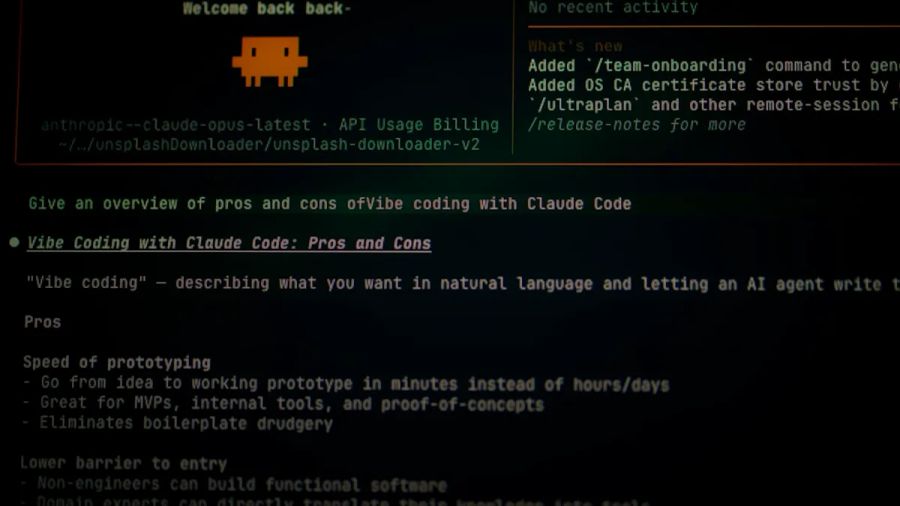
Claude Code is a CLI-based coding agent from Anthropic that can interpret your request, read and edit your working tree, and execute shell commands to accomplish tasks. That last part is the shift. A traditional code assistant suggests text. An agentic tool can act.
That changes the security model in three ways:
- It’s a local tool with cloud inference. You’re not only thinking about “my laptop.” You’re thinking about what you’re sending to the model provider and what the model can do locally.
- It has “agency.” If you approve it, it will run commands. That puts it squarely in the OWASP bucket of “excessive agency” risks for LLM apps.
- It expands the attack surface to your whole dev environment. Your repo, shell history, tokens in env vars,
~/.ssh, your browser session cookies if you do something truly cursed. In other words: your workstation becomes the security boundary.
If you want the big picture taxonomy, I map Claude Code to the same buckets I use when I think about AI security and AI agents: inputs, tools, secrets, network, and auditability.
(Visual break: illustration of “Claude Code attack surface map: repo + shell + secrets + network + MCP connectors.”)
How Claude Code’s Security Model Works (Permissions, Modes, and Defaults)
Claude Code’s official security docs describe a permission-based architecture with strict read-only permissions by default, prompting for actions like editing files and running commands. That’s the right direction. It turns a “fully autonomous copilot” into something closer to a gated assistant. Source: Claude Code security docs.
Permissions are necessary. They’re not sufficient.
The permission system mostly protects you from the most embarrassing class of failures: “I didn’t mean to delete that file” or “why did it run rm?” It is less effective against subtle failures where the action looks reasonable but the target is wrong.
The bigger problem is human behavior. As Anthropic’s own engineering write-up admits, users approve 93% of permission prompts. That is the definition of approval fatigue. Source: Anthropic Engineering.
So Claude Code ends up with three practical modes:
- Manual prompts: safer in theory, but humans rubber-stamp.
- Auto mode: a middle ground, where classifiers attempt to approve low-risk actions while flagging sketchier ones.
--dangerously-skip-permissions: exactly what it says. Don’t use it outside a throwaway sandbox.
Auto mode: why it exists, and what it should change in your posture
Auto mode is explicitly designed to reduce fatigue while still catching dangerous actions. Anthropic describes two defense layers: scanning what the agent reads (prompt injection probes) and gating what it does (classifier-based approval). That’s good engineering.
It is not a license to loosen everything else.
This “boundaries over prompts” idea shows up outside coding tools too. I applied the same posture to smart-home setups in How to Set Up a Local AI Hub for Home Automation Privacy [2026], including how to prove what’s actually staying local using DNS/SNI and firewall logs.
Here’s the mental model I recommend:
- Manual vs auto is an ergonomics choice.
- Sandbox + egress control + secrets isolation is the security posture.
If you’re building anything serious with agentic tools, go read my agent orchestration post. The same control-flow principles (checkpoints, HITL, retries) are also safety controls.
Key Security Risks in Claude Code (Plain English)
“What is the security problem with Claude Code?” in plain English: it can take actions on your behalf, and it’s easy to accidentally give it more access than you intended.
Below are the risks I see teams actually trip over. I’m tying each to the OWASP LLM Top 10 language because it’s the least-bad shared vocabulary we have. Source: OWASP GenAI Security Project.
1) Prompt injection (direct and indirect)
If Claude reads untrusted text (a GitHub issue, a dependency changelog, a pasted stack trace, even a file inside your repo), that text can contain instructions that try to override your intent.
The “indirect” version is the nasty one: the attacker doesn’t prompt Claude. They prompt the content Claude later reads.
I go deeper on this in prompt injection and indirect prompt injection. For Claude Code, the practical lesson is: treat untrusted text as hostile input.
2) Excessive agency (the tool does too much too fast)
A model that can run shell commands is always one misunderstanding away from destructive or risky action.
Anthropic shares real internal incident patterns in their auto mode post. Examples they list include deleting remote git branches, uploading a GitHub auth token to internal compute, and attempting prod DB migrations. Source: Anthropic Engineering.
Those aren’t “model is evil” failures. They’re “model is eager” failures.
3) Secrets leakage (files, env vars, logs)
The top ways Claude Code can leak secrets are boring and predictable:
- Reading
.env/config.yaml/secrets.jsonbecause you asked it to “inspect the config.” - Seeing credentials in terminal output (cloud CLIs love printing things).
- Grabbing tokens from shell environment variables.
- Copying secrets into generated code, tests, or docs.
- Exfiltrating by making outbound HTTP calls via tools or connectors.
If you’ve ever done a secrets rotation after an “oops,” you know it’s never one key. It’s always five.
4) MCP / connectors expand your blast radius
Model Context Protocol (MCP) servers are the “USB-C for AI” idea. They let the agent call tools and reach external systems. That’s powerful.
It’s also a new supply chain.
If you’re treating MCP servers as part of your software supply chain, it helps to lock down what you ship too. I walk through a practical release pipeline in Rust Reproducible Builds + SBOM + Signed Artifacts [2026].
Every MCP server you add is:
- More auth tokens.
- More data paths.
- More tool output that can carry prompt injection.
- More places to accidentally log sensitive content.
If you’re already thinking about AI agents and LLM security, MCP is the part most teams under-estimate.
5) Data retention and privacy mismatch (consumer vs enterprise)
A lot of “is it safe?” arguments are really about data handling, not tool execution.
Anthropic is unusually explicit for consumer accounts (Claude Free/Pro/Max, and when those accounts use Claude Code):
- Deleted conversations are removed from history immediately and deleted from back-end systems within 30 days.
- If Model Improvement is enabled, de-identified data can be retained up to 5 years.
- Flagged policy-violation sessions may retain inputs/outputs up to 2 years and T&S scores up to 7 years.
Source: Anthropic Privacy Center.
That doesn’t mean “don’t use it.” It means you need the right account type and settings for the repos you’re touching.
If your biggest concern is “what data ends up stored where,” the practical fixes are usually in your telemetry and storage layer, not in the CLI itself. I put the concrete controls and audit evidence patterns in LLM Data Leakage Playbook [2026]: Logging, Retention, Redaction.
What Claude Code Protects vs What It Doesn’t
Claude Code ships real protections, and also very clear boundaries.
Built-in protections worth trusting (with caveats)
From the official docs, Claude Code emphasizes:
- Read-only by default permissions.
- Explicit approvals for edits and command execution.
- A sandboxed bash tool option with filesystem/network isolation.
- Prompt injection defenses and guidance.
Source: Claude Code security docs.
These controls reduce accidental self-harm. They are especially valuable for solo dev workflows, where the biggest risk is “I clicked yes and didn’t realize what I approved.”
Limitations you still own
Here are the gaps you cannot outsource:
- Outbound network exfiltration. If the agent can
curlanything, it can leak anything it can read. - Credential scope. If your laptop has production credentials, your agent has production credentials.
- Repo classification. Claude Code can’t know whether a repo is “regulated,” “customer data,” “M&A,” or “just frontend CSS.” You have to decide.
- MCP trust. A malicious or sloppy MCP server is still your problem.
- SDLC quality controls. SAST, secrets scanning, dependency auditing, and review are still required. Claude Code can generate vulnerabilities faster than you can say “LGTM.”
This is one of those things where the boring answer is actually the right one: put the agent in a box.
(Visual break: illustration of “What Claude Code handles (permissions) vs what you must handle (network, secrets, governance).”)
Best Practices to Secure Claude Code (Solo Developer Checklist)
This section is the “I can implement this in under an hour” blueprint. It’s aimed at individual developers on a laptop.
1) Create a dedicated workspace, not your real home directory
Make a clean working folder for Claude Code. Clone the repo there. Don’t point it at ~/.
Concrete rule: the agent only gets the repo and the build artifacts it needs. Nothing else.
2) Use a devcontainer or VM for anything non-trivial
A devcontainer is the pragmatic middle ground. It gives you filesystem boundaries and a clean runtime without the operational overhead of a full VM.
Minimum isolation targets:
- Repo mounted read-write.
- Home directory not mounted (or mounted read-only if you insist).
- No SSH agent forwarding.
- No cloud credentials by default.
If you want a broader take on containers as a security boundary, my Docker vs Podman breakdown is a good primer.
3) Least privilege: treat the agent like a contractor
Give Claude Code its own credentials, scoped to the task:
- Separate GitHub token with minimal repo access.
- Separate cloud credentials with read-only access where possible.
- No production database credentials. Ever.
When I built order workflow microservices at Swiggy, we learned the hard way that retries don’t fix bad workflows. You need explicit compensation paths. The same mindset applies here: don’t assume you can “undo” a credential leak. Prevent it by design.
4) Outbound egress control is your #1 anti-exfiltration lever
Most posts hand-wave this with “use a sandbox.” I’m saying it directly: limit outbound network access.
Safe-by-default pattern:
- Block all outbound by default from the sandbox/container.
- Allow only what’s required to do the job: package registries, your Git remote, and the model endpoint.
- Log denied connections. They are often the first indicator something weird is happening.
If you’re thinking “that’s annoying,” yes. Security is annoying. So is rotating every secret in your org because a tool uploaded .env to somewhere it shouldn’t.
5) Secrets hygiene: prevent accidental inclusion
Practical controls:
- Add
.env,secrets.*, and credential files to a “never share with agent” mental list. - Use secret scanning in your repo and CI.
- Prefer short-lived credentials. If you can’t, at least isolate and rotate.
This ties directly into the AI in production reality: operational controls matter more than model choice.
6) Don’t use --dangerously-skip-permissions outside a disposable box
If you insist on using it, do it in a container with:
- No credentials.
- No access to your home directory.
- No outbound network except what you explicitly allow.
Otherwise you’re not doing “vibe coding.” You’re doing “vibe breach.”
7) Keep work visible: prefer diffs over free-form edits
Even solo, force the workflow into reviewable units:
- Ask for a plan first.
- Ask it to describe exactly what files it will change.
- Commit often.
This is the same control principle I use running this site’s multi-agent publishing pipeline: deterministic gates catch more issues than “just use a bigger model.” (Also: rewriting slugs is a one-way door. I learned that after burning 907K impressions of link equity in one incident.) The meta-lesson is that process beats optimism.
MCP Security: The Connector Threat Model (and How to Allowlist It)
MCP security is where “Claude Code security concerns” get real. The base tool is one thing. The moment you add connectors, you’re building a mini-integration platform.
Here are the attack paths I’d actually worry about:
Attack path A: Token scope explosion
If your MCP server has a token with broad scope, any compromised agent session can use it. This is classic least-privilege failure.
Mitigations:
- Use per-connector tokens, not shared “one token for everything.”
- Scope to specific repos/projects.
- Prefer read-only where possible.
Attack path B: Tool output prompt injection
MCP tools return text. That text goes back into the agent context. If the tool returns untrusted content (tickets, emails, docs), that’s an injection path.
Mitigations:
- Treat connector responses as untrusted input.
- Strip or summarize untrusted content.
- Use connector-side allowlists for what data is even retrievable.
Attack path C: Data path logging (accidental persistence)
Your MCP server might log requests/responses for debugging. Congrats, you just created an ungoverned data store.
Mitigations:
- Decide what is allowed to be logged.
- Redact secrets at the connector layer.
- Set retention and delete policies.
Attack path D: Unreviewed third-party MCP servers
This is just supply chain risk in a new hat.
Mitigations:
- Allowlist MCP servers by hash/version.
- Review the server code like you’d review any internal service.
- Run MCP servers inside restricted runtime environments.
If you want a broader checklist for tool surfaces, see my AI Agent Tool Use Security Attack Surface Checklist.
Data Retention and Privacy: What Anthropic’s Settings Mean in Practice
“How safe is my data with the Claude code?” is usually two questions:
1) What does Claude Code do on my machine? 2) What data is retained by the service provider?
On #2, Anthropic’s consumer privacy center is unusually specific.
Consumer accounts (Free/Pro/Max + Claude Code)
Per Anthropic’s July 1, 2026 retention doc:
- Deleted chats are removed from history immediately and deleted from back-end systems within 30 days.
- If Model Improvement is enabled, de-identified data may be retained up to 5 years.
- If flagged for policy violations, inputs/outputs may be retained up to 2 years and trust & safety scores up to 7 years.
Source: Anthropic Privacy Center.
Also, Anthropic states data is encrypted in transit and at rest, and employee access is limited by default, with exceptions for user feedback consent or policy enforcement. Source: Anthropic Privacy Center.
So… is Claude safe for confidential information?
My stance: Claude Code is not the right tool for every repo. If the repo contains regulated data, customer PII, or high-value secrets that can’t be segmented, don’t feed it to a consumer workflow.
For less sensitive proprietary code, you can make it safe enough by:
- Turning off model improvement.
- Minimizing what you send (no
.env, no prod configs). - Using an enterprise/commercial plan that matches your compliance needs.
The most important move is classification: decide which repos are allowed and which are banned.
Team/Enterprise Governance: The Policy That Stops “Shadow Claude”
Teams don’t fail because one engineer made a bad click. They fail because there was no policy, so everyone invented their own.
Here’s a governance template that actually works.
1) Define “approved repos” vs “banned repos”
Examples of banned categories:
- Production infrastructure and Terraform repos.
- Anything that contains customer data exports.
- Repos with long-lived credentials embedded (yes, they exist).
Approved categories (usually safe):
- Refactors in non-sensitive services.
- Test generation.
- Documentation improvements.
2) Ban certain actions outright
I recommend these “always manual” rules:
- Production database migrations.
- Rotating secrets.
- Changing auth/permission code paths.
- Modifying CI/CD or deployment pipelines.
If you want a broader workflow policy, see AI Coding Team Workflow Policy Guide.
3) Standardize the environment
Teams should ship a blessed setup:
- Devcontainer/VM profile.
- Managed settings for permissions.
- Approved MCP server list.
This is where “agent framework” thinking becomes relevant. You’re doing agent orchestration whether you admit it or not.
4) Logging and auditing requirements
“What logs should I keep?” At minimum, you want:
- Terminal command history for agent-run commands.
- File diffs (what changed, when, by which session).
- Connector/MCP request logs (sanitized).
- Outbound network logs from the sandbox boundary.
If you’re instrumenting agent workflows, OpenTelemetry is the obvious backbone. I’ve been using OTel for this site’s agent pipeline precisely because “what happened?” needs to be answerable after the fact. Start here: OpenTelemetry Instrumentation for AI Agents.
(Visual break: illustration of “audit trail: prompts → tool calls → command log → git diff → network egress.”)
5) Training: the 30-minute briefing that saves you weeks
Give engineers a one-page “Claude Code permissions best practices” doc:
- What to never approve.
- What to never paste.
- How to run inside the sandbox.
- How to report incidents.
This is not about fear. It’s about not being surprised.
Incident Response: If Claude Code Does Something Bad, Now What?
You need an incident response checklist because this class of incident is inevitable. Not because Claude is malicious. Because complex systems drift.
Here’s the playbook I’d run.
Step 1: Stop the bleeding
- Kill the session.
- Disconnect network for the sandbox/container if you can.
- Freeze the workspace (copy it, snapshot it).
Step 2: Rotate secrets (assume compromise)
- Rotate any tokens that may have been read:
.env, CI tokens, cloud creds. - Revoke any short-lived tokens and reissue.
Step 3: Review git history and diffs
- Identify what files changed.
- Look for subtle backdoors: new dependencies, postinstall scripts, CI changes.
Supply chain attacks love to hide in the boring places. If you haven’t read it yet, NPM supply chain attack defense is the same story, just without the agent.
Step 4: Check outbound traffic
- Review the sandbox/container egress logs.
- Look for unusual domains, large payloads, or repeated retries.
Step 5: Audit tool/connector usage
- What MCP servers were enabled?
- What scopes did their tokens have?
- What did they log?
Step 6: Write down the failure mode
Do a mini post-mortem:
- What was the triggering input?
- Which boundary failed (permissions, sandbox config, egress, credentials)?
- What’s the permanent fix?
The point is not blame. The point is making the next incident cheaper.
My bottom line
Claude Code isn’t “safe” or “unsafe.” It’s powerful. And powerful tools don’t get safer because we debate them harder. They get safer because we put them in boxes, we scope their credentials, we constrain their network, and we log what they do.
My prediction: by 2027, teams will stop arguing about whether to allow agentic coding tools and start arguing about which security boundary to standardize on. The winners won’t be the ones with the fanciest model. They’ll be the ones who can answer, with logs, exactly what the agent changed and exactly where it tried to send data.
Photo by Vishnu Kalanad on Unsplash.
Continue reading
How to Stop Repo Prompt Injection in Coding Agents
Repo-level prompt injection turns “clone and ask the agent” into a supply-chain compromise. Here’s the threat model, a safe demo, and practical mitigations.

LLM Supply Chain Security Checklist: Lock Down Agents
A CI-ready checklist to treat models, MCP servers, tool plugins, and prompt packs as real dependencies. Pin, sign, attest, sandbox, and monitor before your agent ships malware.
CLI-Anything: Make Any Software Agent-Native
CLI-Anything wraps any app in a thin command-line shim so AI agents can drive it like grep or git. Here's how it works, why CLIs beat prompt DSLs, and where it fits next to MCP.
REA: Reverse Engineer Anything With AI Agents
REA is the open-source MCP server that lets Claude Code, Codex, and Cursor reverse-engineer binaries, Electron apps, APKs, and live browsers. Here's what it does, how to set it up, and the legal line nobody else is drawing.

Kunal Ganglani (2026, August 2). Claude Code Security: Risks, Safe Setup, Team Policy. Kunal Ganglani. Retrieved October 31, 2026, from https://www.kunalganglani.com/blog/claude-code-security-2026
Frequently Asked Questions
How safe is my data with Claude Code?
It depends on your account type, your privacy settings, and what local files the tool can access. For consumer plans, Anthropic says deleted chats are removed immediately and deleted from back-end systems within 30 days, with longer retention if Model Improvement is enabled or a session is flagged.
How do you use Claude Code effectively without adding risk?
Use it for low-risk, high-leverage tasks like refactors, tests, and documentation. Run it in a sandbox/devcontainer, keep credentials scoped to the task, and force changes into reviewable diffs and commits so you can audit what happened.
What is the security problem with Claude Code?
Claude Code can read a lot of context and, if approved, take actions like editing files and running commands. That increases the impact of prompt injection, secrets leakage, and connector/tool abuse compared to assistants that only generate suggestions.
Is Claude Code safe for proprietary or confidential repositories?
It can be safe enough if you isolate it (sandbox/devcontainer), limit credentials, constrain outbound network access, and choose the right privacy/retention settings. For regulated or highly sensitive repos, you should require enterprise-grade governance and avoid consumer workflows.
Is installing Claude Code a security risk?
Installing the CLI itself is not the main risk. The risk is what permissions, files, credentials, and network access you give it after install. If you run it against sensitive repos on a laptop with broad tokens and unrestricted outbound network, you’ve created a real exfiltration path.
How do permissions, Auto mode, and --dangerously-skip-permissions compare in risk?
Manual permissions and Auto mode both keep guardrails in place, but they can still be undermined by approval fatigue. --dangerously-skip-permissions removes the primary interactive control entirely and should only be used in a disposable, locked-down sandbox with no valuable credentials.