The M5 MacBook Air Is the Default Developer Machine. Stop Overthinking It.
Apple's M5 MacBook Air has a 10-core CPU, 16GB base RAM, and 512GB storage at the same price point. For most developers, the Pro no longer makes sense.


The M5 MacBook Air Is the Default Developer Machine. Stop Overthinking It.
16GB of RAM, 10-core CPU, 512GB of storage. That's the base M5 MacBook Air, shipping March 11th. Not the upgraded config. Not the "developer edition." The one you pull off the shelf at the Apple Store.
MacBook Air M5 for software development refers to using the base M5 MacBook Air (10-core CPU, 16GB unified memory, 512GB SSD) as the default developer laptop because most coding work is bursty and rarely hits sustained thermal limits. It fits typical web, mobile, and backend workflows; heavy Docker, local ML training, or massive builds may need more RAM or a Pro.
I've watched the "Air or Pro?" debate play out in every Slack workspace and Reddit thread for years. Someone's about to buy a new Mac for development, and the replies are always the same: "just get the Pro, you'll thank yourself later." That advice made sense three years ago. It doesn't anymore.
The Spec Sheet That Actually Matters
The base M5 Air ships with a 10-core CPU (4 super cores, 6 efficiency cores), an 8-core GPU, a 16-core Neural Engine, 16GB of unified memory, and 512GB SSD. You can push it to 32GB of RAM and 4TB of storage if you want.

Two years ago, the M3 Air shared the same base processor as the entry-level M3 Pro. The only real differentiator was the fan. That's it. The Pro had active cooling; the Air didn't. With the M5, Apple kept this pattern but pushed efficiency hard enough that the fanless design matters less than ever.
The M5 sits on a newer process node with real efficiency gains over M3's 3nm architecture. More efficiency means less heat. Less heat means less thermal throttling. Less throttling means the gap between Air and Pro under sustained load keeps shrinking. Every generation, same story.
But the 16GB base memory is the real headline for me. This was the reason I told developers to skip the Air in the M1 and M2 era. Running a React dev server, a Docker container or two, a browser with 40 tabs, and VS Code on 8GB was genuinely painful. You could feel the machine fighting you. That constraint is gone.
16GB base isn't just a spec bump. It's the moment the Air becomes a real development machine out of the box. No config anxiety required.
Your Workload Is Bursty. Act Like It.
Here's what gets lost in every Air vs. Pro comparison for developers: most of our work isn't sustained compute.
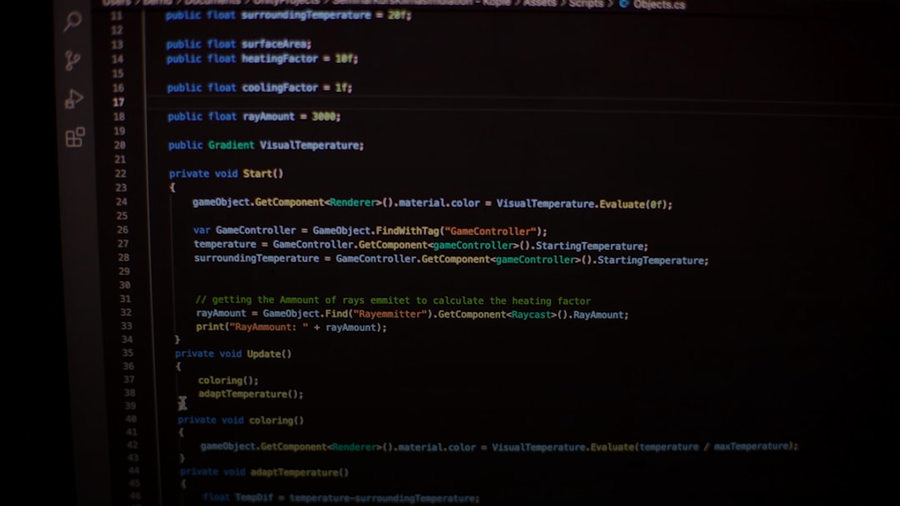
Think about your actual day. You write code for a few minutes. Hit save. Hot-reload kicks in, there's a 2-5 second burst of CPU activity, then everything settles. Run your test suite. Burst. Done. Kick off a build. Burst. Wait. Read the output. Get coffee.
This is nothing like rendering a 3D scene or training a neural network, where the CPU is pegged at 100% for minutes or hours. The fanless Air is built for this kind of bursty pattern. Peak performance for short bursts, passive cooldown between them, repeat all day.
Benchmarks on the M3 Air showed ~25-30% throttling during sustained heavy workloads compared to the fan-cooled M3 Pro. Sounds bad. But "sustained heavy workload" means compiling the entire Chromium codebase or training an ML model locally. If that's your Tuesday, yes, get the Pro. If you're building web apps, mobile apps, APIs, or anything short of massive monorepo compilations, you'll rarely touch those thermal limits.
The M5's efficiency improvements push this further. Every watt saved is a watt that doesn't become heat. That 25-30% gap on the M3 is narrowing. And for bursty dev work, it was already mostly irrelevant.
Where the Air Still Falls Short
I'm not going to pretend the Air is perfect for everyone. That would be dishonest, and you'd figure it out after spending the money.
Heavy Docker usage. Running 5+ containers simultaneously for a complex microservices setup will pressure even 16GB, and the sustained CPU load will throttle eventually. If this is your world, configure to 24GB or 32GB. Or just get the Pro.
Local ML training. Fine-tuning models locally rather than on cloud compute? You want the Pro's sustained performance and higher memory bandwidth ceiling. The M5 Air's Neural Engine and Neural Accelerator improvements are solid for inference, but training is a different animal entirely.
Massive monorepo builds. If your build command takes 10+ minutes of sustained CPU time, the fan in the Pro earns its keep. AOSP, Unreal Engine, that sort of thing. The Air will throttle.
Multiple external displays used to be on this list. The M5 Air actually fixes it. Two external displays up to 6K at 60Hz, or one at 8K. For most desk setups, that's enough.
Everything else? Next.js, Rails, Django. Xcode or Android Studio for moderate projects. Backend work in Go, Rust, Java, Python. A handful of Docker containers. AI coding assistants like Copilot or Cursor. The M5 Air handles all of it. The fan you'd never hear in a Pro wouldn't have helped anyway.
If your work depends on documentation and release assets staying available for years, it’s worth treating archiving as part of your dev setup, not a nice-to-have. I go deeper on that in Wayback Machine Alternatives [2026]: Developer Archiving Playbook.
If you want to justify that “base Air is enough” decision with something more concrete than vibes, tie it to outcomes. I wrote 7 Metrics to Measure AI Coding Impact on Engineering Metrics [2026] as a practical way to track whether tools and hardware changes are actually improving throughput, quality, and cycle time.
If you want a similarly practical way to make tool decisions with data, I used the same mindset in How to Measure AI Coding Agent Harness Overhead [2026]. It’s a reproducible protocol for measuring the real latency and cost drivers in coding agents—prompt scaffolding, indexing, tool calls, and test loops—so you’re not guessing.
The Price Gap Seals It
The M5 Air 13-inch starts with that 10-core CPU, 8-core GPU, 16GB RAM, 512GB storage config. The MacBook Pro starts higher with Pro-tier chips, more ports, and the fan.
The price difference between an Air configured with 24GB of RAM and the base MacBook Pro is real money. For most developers, that money is better spent on the RAM upgrade than on the Pro's fan and marginally brighter display. You get a lighter machine (2.7 pounds), the same 18-hour battery life, and performance that covers 90% of development workloads without breaking a sweat.
I've shipped production software on every MacBook generation since the 2015 retina Pro. The M5 Air with 24GB is the configuration I'd recommend to any developer on my team who isn't doing sustained ML training or compiling truly enormous codebases. It's the sweet spot. Not even close.
The Air Is Eating the Pro From Below
The M1 Air in 2020 was a revelation. The M2 kept the same 8GB base, which held it back. The M3 brought the same chip as the base Pro. Now the M5 ships with 16GB base, a 10-core CPU, dual external display support, and efficiency improvements that narrow the thermal gap even further.
Every generation, the Air absorbs another reason the Pro existed. More RAM. More cores. Better thermals through efficiency. More display outputs. The base MacBook Pro is becoming a product for a shrinking audience: people who need sustained peak performance in laptop form but don't need the Max or Ultra chips.
Apple clearly sees this too. The Pro line's future is the Pro and Max chip variants, not the base model. The base Pro is the awkward middle child. You're paying for a fan and a slightly nicer screen. That's a tough sell when the Air matches it everywhere else for less money and less weight.
The Air isn't catching up to the Pro. The Air is becoming what the Pro used to be. And the Pro is moving upmarket to justify its own existence.
Just Buy the Air
If you're a developer deciding right now:
Get the M5 Air with 24GB RAM if you do web development, mobile development, moderate Docker usage, API work, or general full-stack engineering. This covers the vast majority of professional developers I know.
Get the MacBook Pro if you do sustained ML training locally, compile massive codebases daily, need more than two external displays, or work in video production alongside dev work.
Three years from now, I expect the base MacBook Pro to either not exist or to ship with a Pro chip minimum. The fan-cooled version of the base M-series chip is running out of reasons to be a product. Apple's efficiency gains are making the fanless design viable for workloads that used to demand active cooling.
If you're still telling junior developers to "just get the Pro to be safe," you're costing them real money for peace of mind they don't need. The M5 Air is the developer machine. The Pro is the specialist tool. Know which one you actually are.
Photo by Adrian González on Unsplash.
Continue reading

The M5 MacBook Air Is Great. But Apple Still Won't Build the Mac Everyone Actually Needs.
Apple's M5 MacBook Air is a beast. But starting at $1,099, it ignores the massive market of developers and students who need a capable Mac under $800.

Apple's Rumored Budget MacBook: Spiritual Successor to the iBook or a Crippled Air?
Apple reportedly wants a cheap MacBook to crush Chromebooks in education. But can a company allergic to 'budget' actually build one worth buying?

Apple's M4 Chip: 38 Trillion Operations Per Second and What It Actually Means for Developers
Apple's M4 isn't just a faster chip. Its 16-core Neural Engine pushing 38 TOPS is a bet that the future of AI is local, not cloud. And I think they're right.

The M5 MacBook Pro: Cutting Through the Spec Sheet for Developers
Apple's M5 MacBook Pro brings Neural Accelerators to every GPU core and up to 128GB unified memory. Here's what that means if you're running local AI models or compiling large codebases.

Kunal Ganglani (2026, March 4). The M5 MacBook Air Is the Default Developer Machine. Stop Overthinking It.. Kunal Ganglani. Retrieved October 19, 2026, from https://www.kunalganglani.com/blog/m5-macbook-air-default-developer-machine
Frequently Asked Questions
Is the M5 MacBook Air good enough for software development?
Yes, for the vast majority of developers it is. The M5 Air ships with a 10-core CPU and 16GB of RAM as standard, which is enough to run code editors, local servers, Docker containers, and a full browser without feeling sluggish. Unless you are compiling massive codebases or training machine learning models all day, you are unlikely to hit its limits.
Should I buy the M5 MacBook Air or MacBook Pro for coding?
For most developers, the Air is now the better value. The Pro's main advantage is active cooling, which matters during long, uninterrupted heavy workloads, but typical coding work is bursty rather than sustained, so the Air's fanless design rarely becomes a problem. If you regularly do things like large-scale compilation or local AI model training, the Pro is worth the extra cost — otherwise, the Air is the smarter buy.
Does the M5 MacBook Air throttle under heavy load?
It can throttle during prolonged, intensive tasks because it has no fan to actively push heat away. Benchmarks on the previous M3 Air showed roughly 25 to 30 percent slower performance compared to the fan-cooled Pro during sustained heavy workloads. However, the M5's improved efficiency generates less heat than earlier chips, which narrows that gap, and for normal development work the throttling rarely kicks in at all.
Is 16GB of RAM enough for developers in 2025?
For most development workflows, yes. Running a local dev server, a couple of Docker containers, VS Code, and a browser with many tabs open is comfortable on 16GB with Apple's unified memory architecture. If you are running five or more Docker containers simultaneously for a complex microservices setup, or doing memory-intensive data work, upgrading to 32GB is worth considering.
What is the base M5 MacBook Air configuration?
The base M5 MacBook Air comes with a 10-core CPU, an 8-core GPU, 16GB of unified memory, and 512GB of SSD storage. It is available starting March 11th at the same price point previous base Air models launched at. You can configure it up to 32GB of RAM and 4TB of storage if your needs require it.
When does the M5 MacBook Air NOT make sense for a developer?
The Air is a poorer fit if your daily work involves running many Docker containers at once for complex microservices architectures, compiling very large monorepos repeatedly, or training machine learning models locally. In those cases the sustained performance advantage of the fan-cooled MacBook Pro justifies its higher price. The post is honest that the Air is not for everyone, just for most developers.